
Tax software export
From closed books to tax software without retyping
fiscal50 exports your year-end books in formats for TaxAct and Intuit tax software. Exports cover C corporations, S corporations, LLCs and sole proprietorships, so the figures you or your tax preparer enter come straight from reconciled, closed books.
Who it’s for
Who uses the tax software export
Anyone who turns a year of fiscal50 books into a business tax return, or hands the figures to someone who does.
Owners who do their own return
If you prepare your business return in TaxAct or an Intuit product, start from figures that came out of reconciled, closed books instead of retyping them from reports.
Tax preparers and their clients
If someone else prepares your return, send them a year-end export from books that are closed, so the numbers they work from can’t change after they receive them.
Bookkeepers closing a client’s year
Close the client’s fiscal year in fiscal50, then hand over an export for the company type the client files as.
How it works
From the last bank transaction to your tax software
The export comes last. Everything before it is about making the year’s figures complete and final.
Bank reconciliation · Month-end and year-end close · Financial reports
Record and reconcile the year
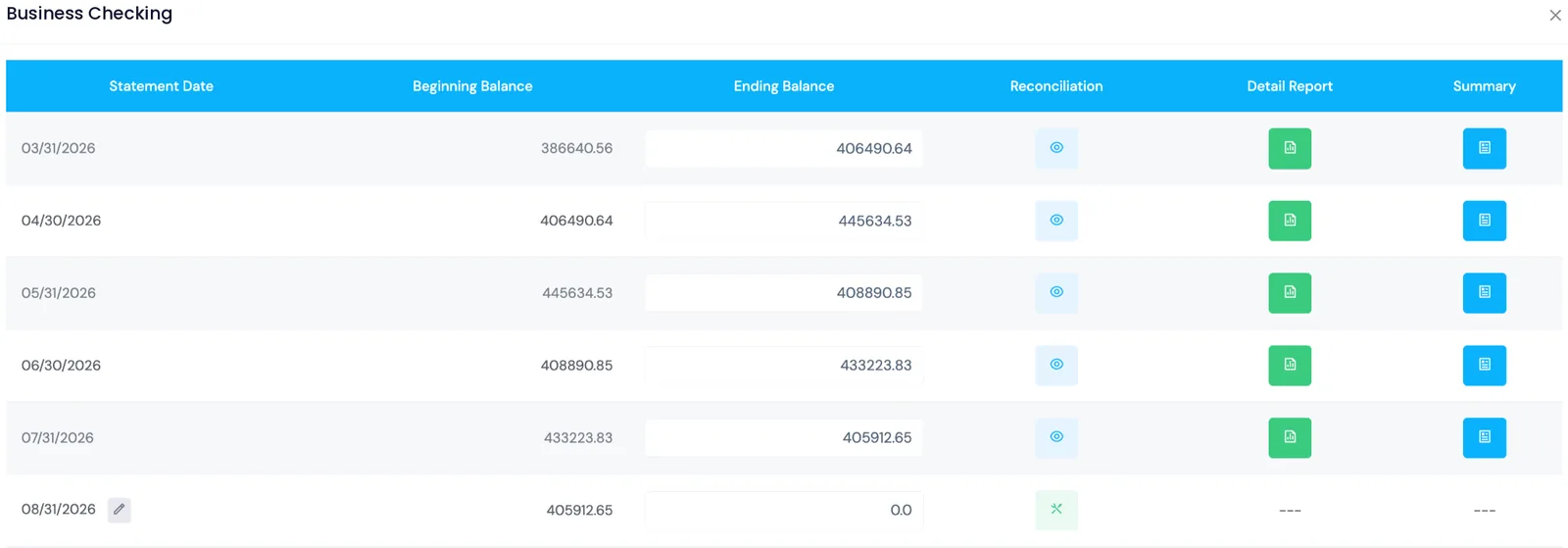
Get every bank and card transaction recorded in Banks to Books and every account reconciled for each month of the fiscal year.
Review the year’s reports
Check the Income Statement, Balance Sheet and Trial Balance for the fiscal year on the accounting method you file on, cash or accrual.
Close the fiscal year
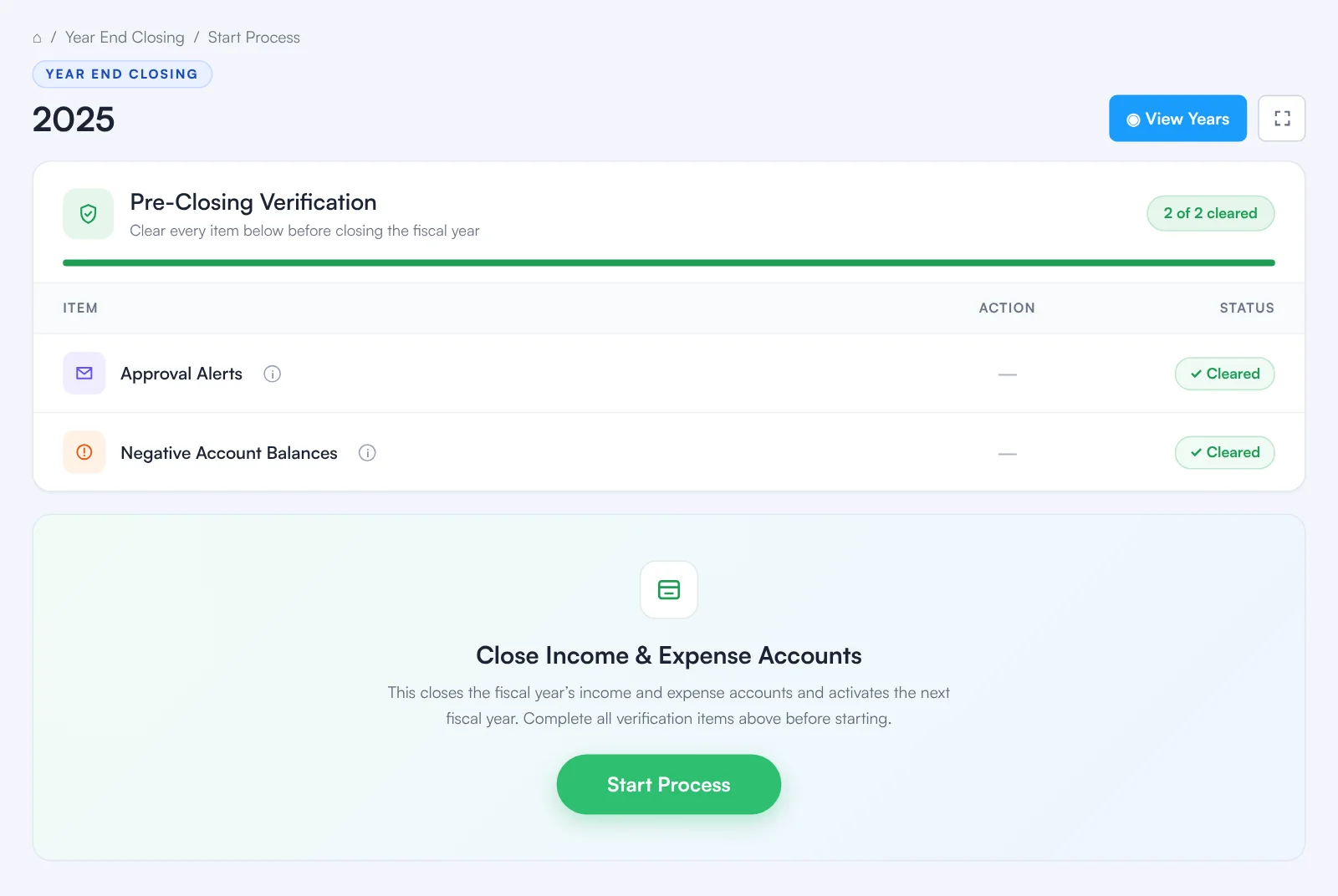
Year End Closing runs the Pre-Closing Verification checklist, then closes every month of the year in one step so nothing dated in it can change.
Export for your tax software
Export the year’s figures in the format for TaxAct or Intuit tax software, for your company type. The export is on Business and Business Pro.
Prepare and file the return
Use the export in your tax software, or send it to your tax preparer. The return is prepared and filed there.
Close the year first
Export figures that won’t change underneath you
Year End Closing closes every month of a completed fiscal year at once, after the same checklist as a monthly close. The checklist won’t clear until every account is reconciled for each month.
- Every bank and credit card transaction must be recorded first
- Every bank and credit card account must be reconciled
- Anything else pending, such as approvals, is flagged before you can start
- After closing, nothing dated in the year can be created, edited or deleted
The figures behind the export
The year’s balances, debits equal to credits
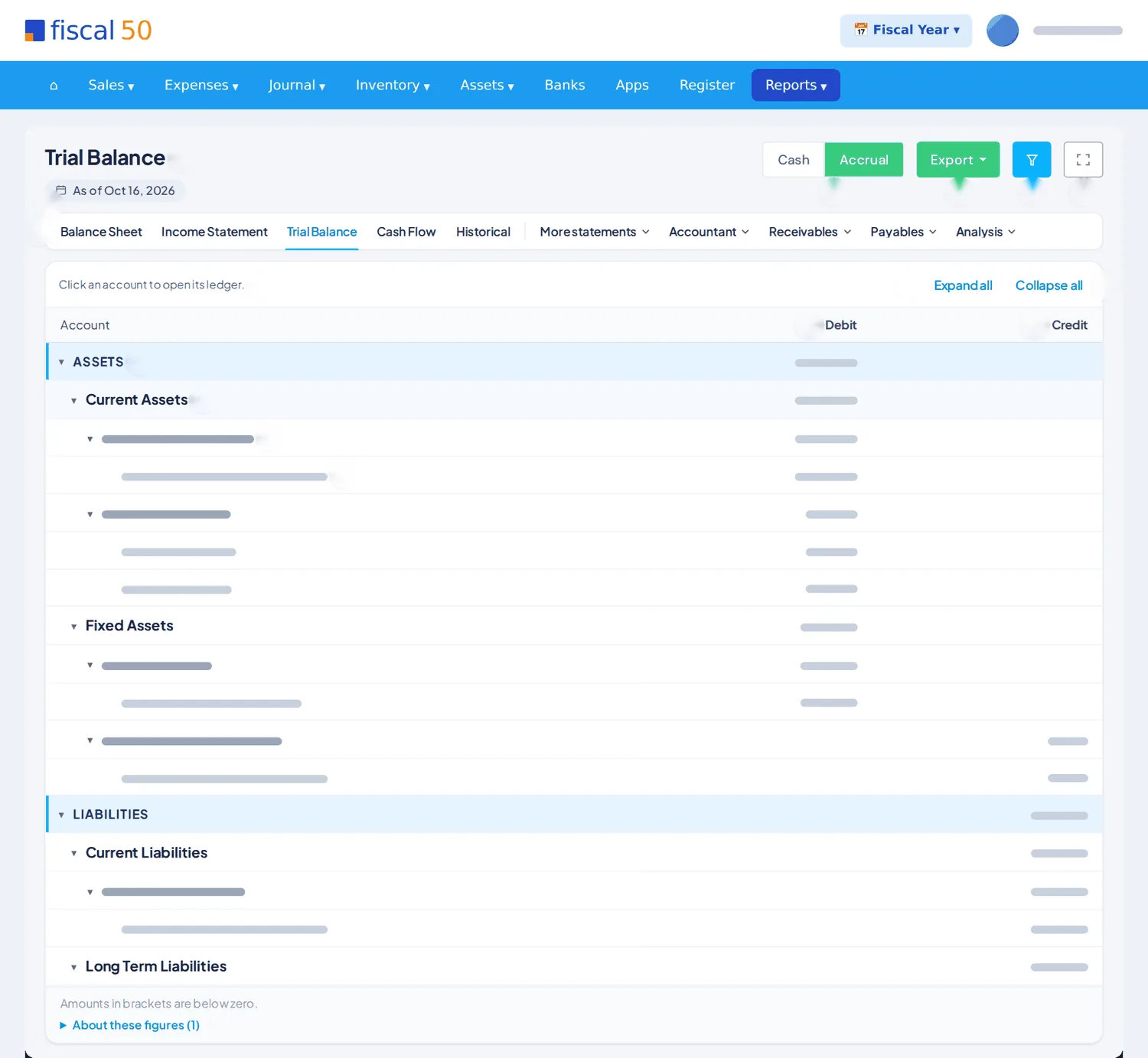
A business return starts from the year’s income and expense totals and the closing balance sheet. In fiscal50 those come from the same books as every report.
- Trial Balance, Income Statement and Balance Sheet for the fiscal year
- Cash or accrual, matching the method you file on
- Click any account to open its ledger and check a transaction
Company types
The four company types the export covers
fiscal50 exports for C corporations, S corporations, LLCs and sole proprietorships. For reference, this is the federal return each one usually files.
| Company type | Federal return it usually files |
|---|---|
| C corporation | Form 1120, U.S. Corporation Income Tax Return |
| S corporation | Form 1120-S, U.S. Income Tax Return for an S Corporation |
| LLC | Depends on how it is taxed: a single-member LLC is usually reported on the owner’s return (Schedule C for a sole owner), a multi-member LLC usually files Form 1065, and an LLC that elects corporate tax treatment files Form 1120 or 1120-S |
| Sole proprietorship | Schedule C (Profit or Loss From Business), filed with the owner’s Form 1040 |
General information, not tax advice. Which return your business files depends on how it is organized and taxed; check with your tax preparer or the IRS business structures page.
Plans
What’s included on each plan
The tax software export is on Business and Business Pro. Full plan details are on the pricing page.
| Starter | Business | Business Pro | |
|---|---|---|---|
| Tax software export (TaxAct and Intuit) | Not included | ✓ | ✓ |
| Financial reports | ✓ | ✓ | ✓ |
| Export report data to Excel | Not included | ✓ | ✓ |
| 1099-NEC tracking, Copy B and e-file CSV exports | Not included | ✓ | ✓ |
| Auto-reconciliation of bank, card and loan accounts | Not included | ✓ | ✓ |
Which tax software does the export work with?
TaxAct and Intuit tax software. fiscal50 exports your year-end books in formats for both.
Which business types are supported?
C corporations, S corporations, LLCs and sole proprietorships.
Which plans include the tax software export?
Business and Business Pro. Every plan includes the financial reports the export is built from.
Should I close the year before exporting?
Yes. Closing the fiscal year locks it, so the figures you export can’t change after you or your tax preparer start working from them.
Does fiscal50 file my tax return?
No. fiscal50 exports the figures from your books; the return is prepared and filed in your tax software or by your tax preparer.
Related
Keep exploring
Financial reports
Balance sheet, P&L, cash flow, trial balance, ledgers and drill-down.
Read moreMonth-end close
A checklist of what is pending, then locked periods.
Read more1099 tracking
Track vendor payments for 1099-NEC and catch missing details early.
Read moreRetained earnings
The profits a company has earned over its life and kept in the business instead of paying them out to its owners. Beginning retained earnings plus net income minus distributions equals ending retained earnings.
Read moreClose the year once. Export it without retyping.
Starter’s first month is free. The tax software export is on Business and Business Pro.