Bookkeeping software for bookkeepers: every client in one login.
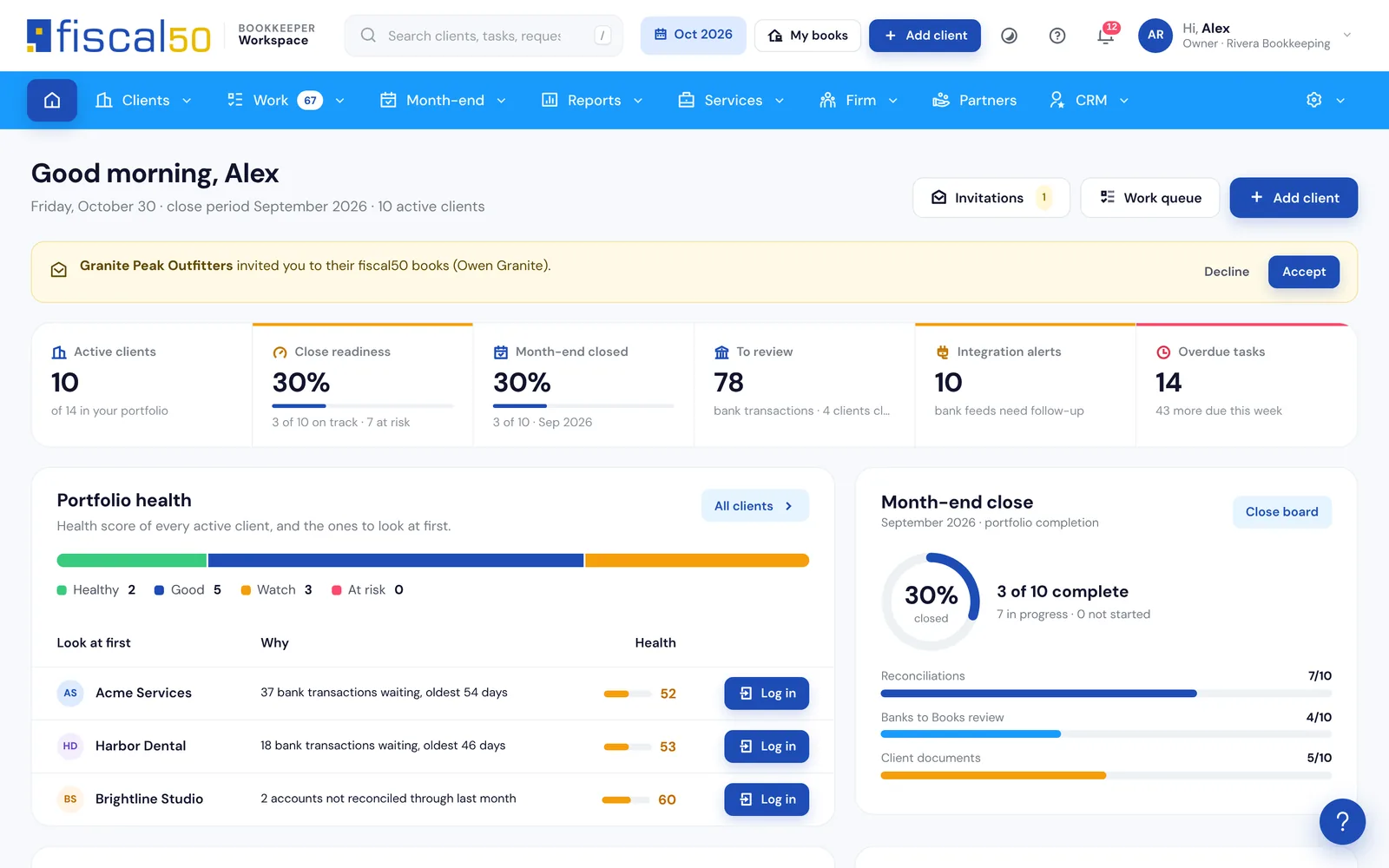
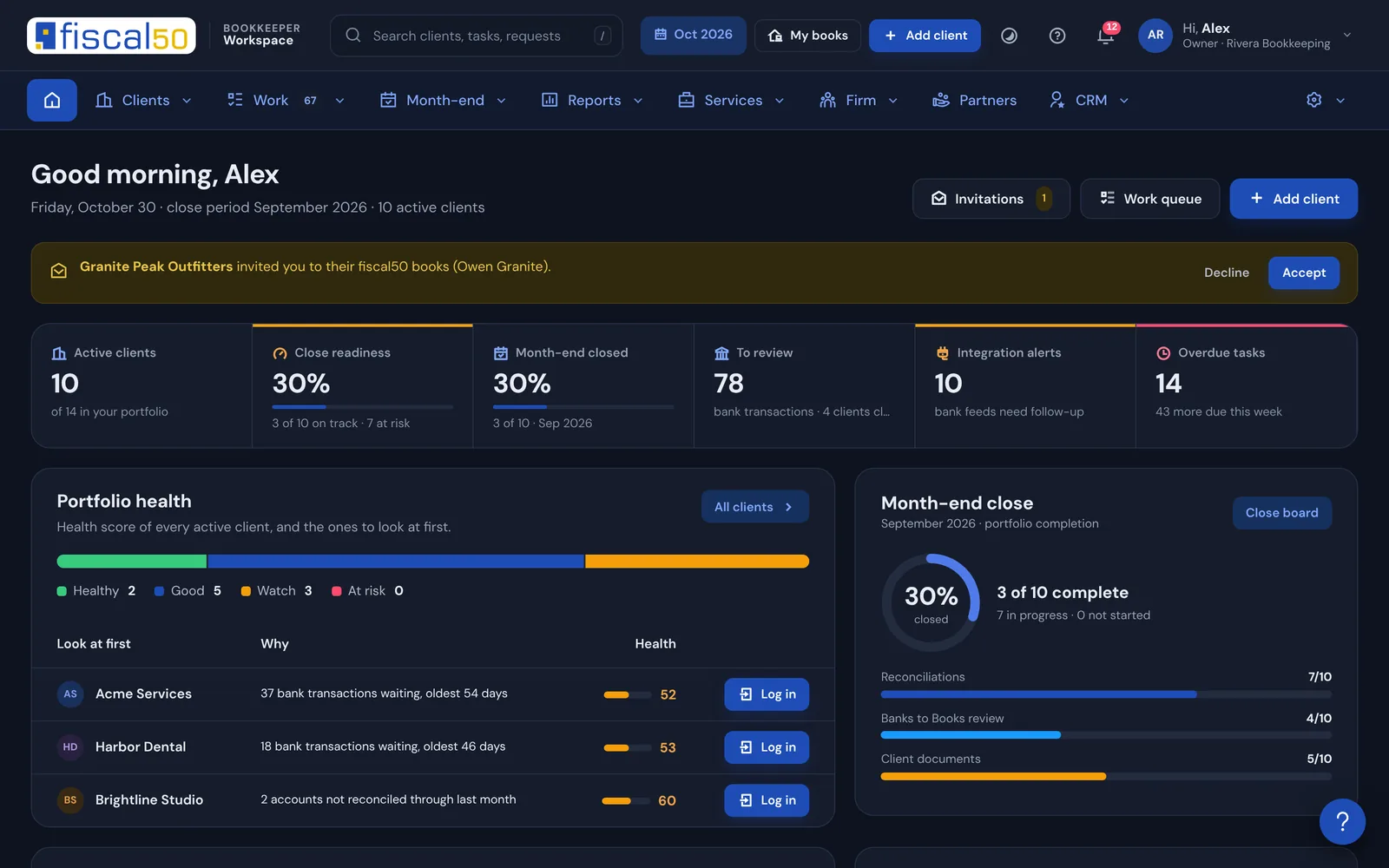
fiscal50 is bookkeeping software for bookkeepers and accounting firms: each client’s books live in fiscal50, and you run every client from one Bookkeeper Workspace login. The Workspace is free to start and shows every client’s bank feeds, Banks to Books backlog, reconciliations and month-end status on one dashboard, so you can close the month for every client with reviewer sign-off and open any client’s books in one click.
Can one bookkeeper login manage many client companies?
Yes. One Bookkeeper Workspace login lists every client company you keep books for, whichever way the client pays. Log in opens that client’s own fiscal50 in a new tab without a shared password, and every opening is recorded.
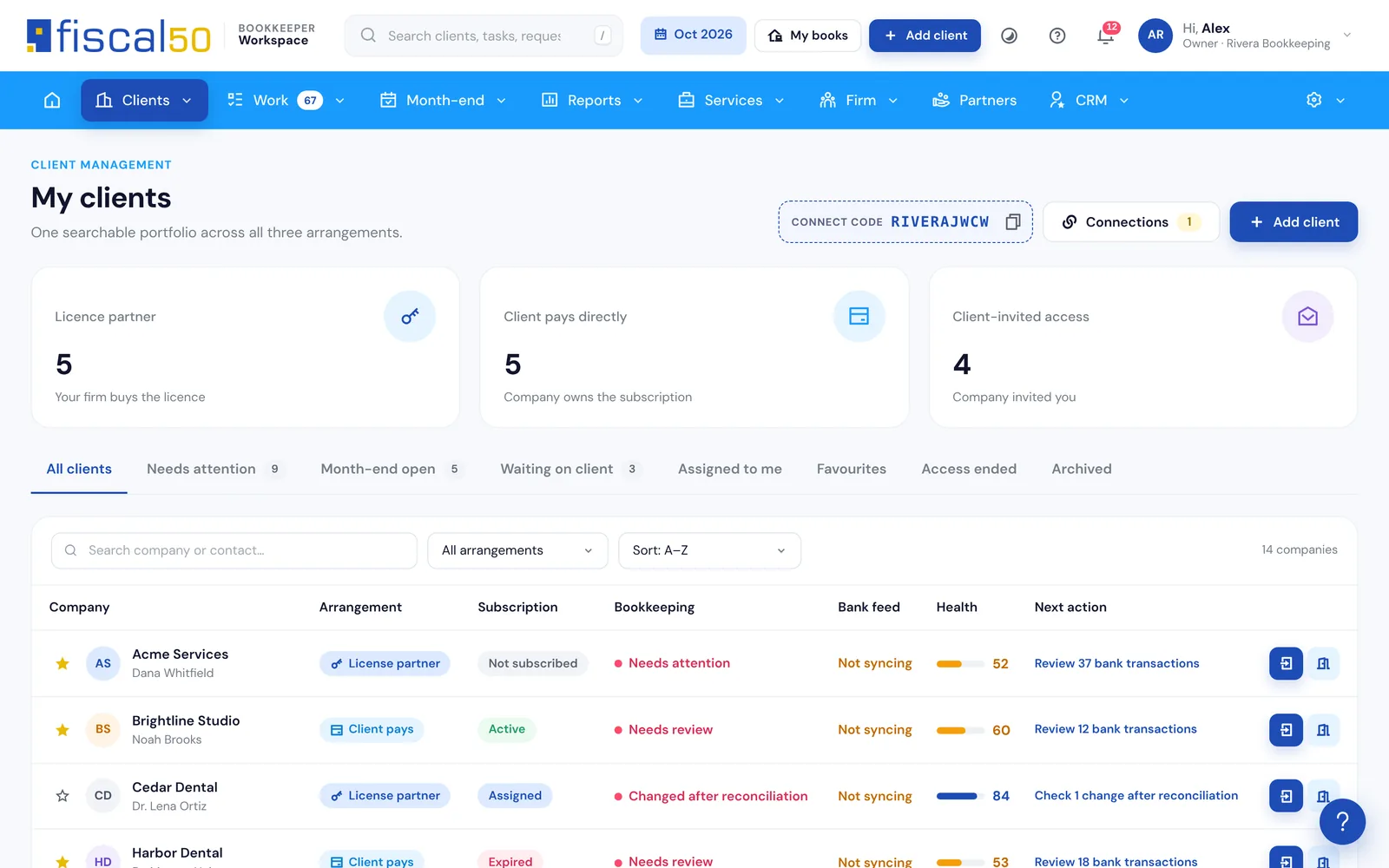
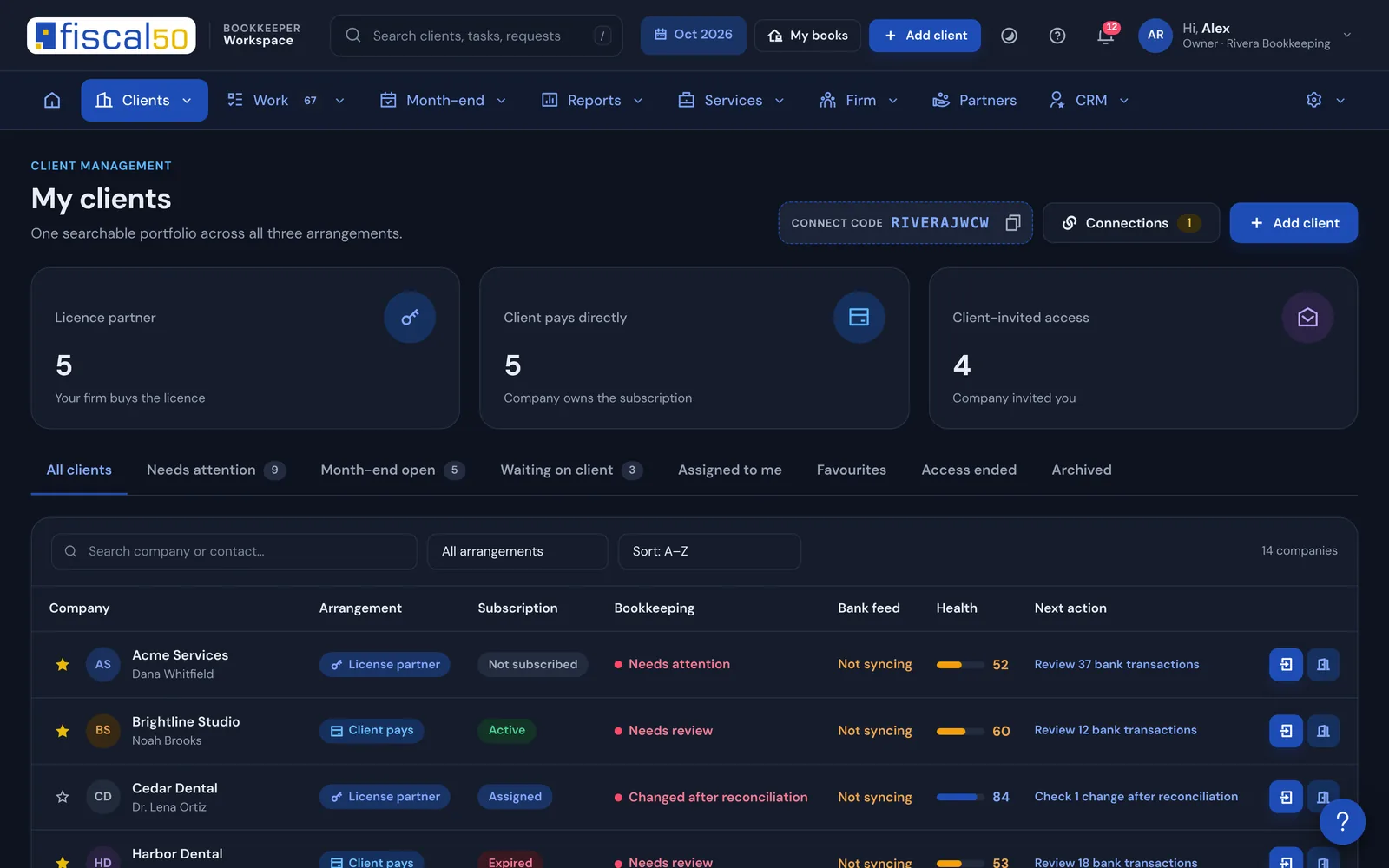
My clients: every company with its arrangement, subscription, bookkeeping and bank-feed state, health and next action
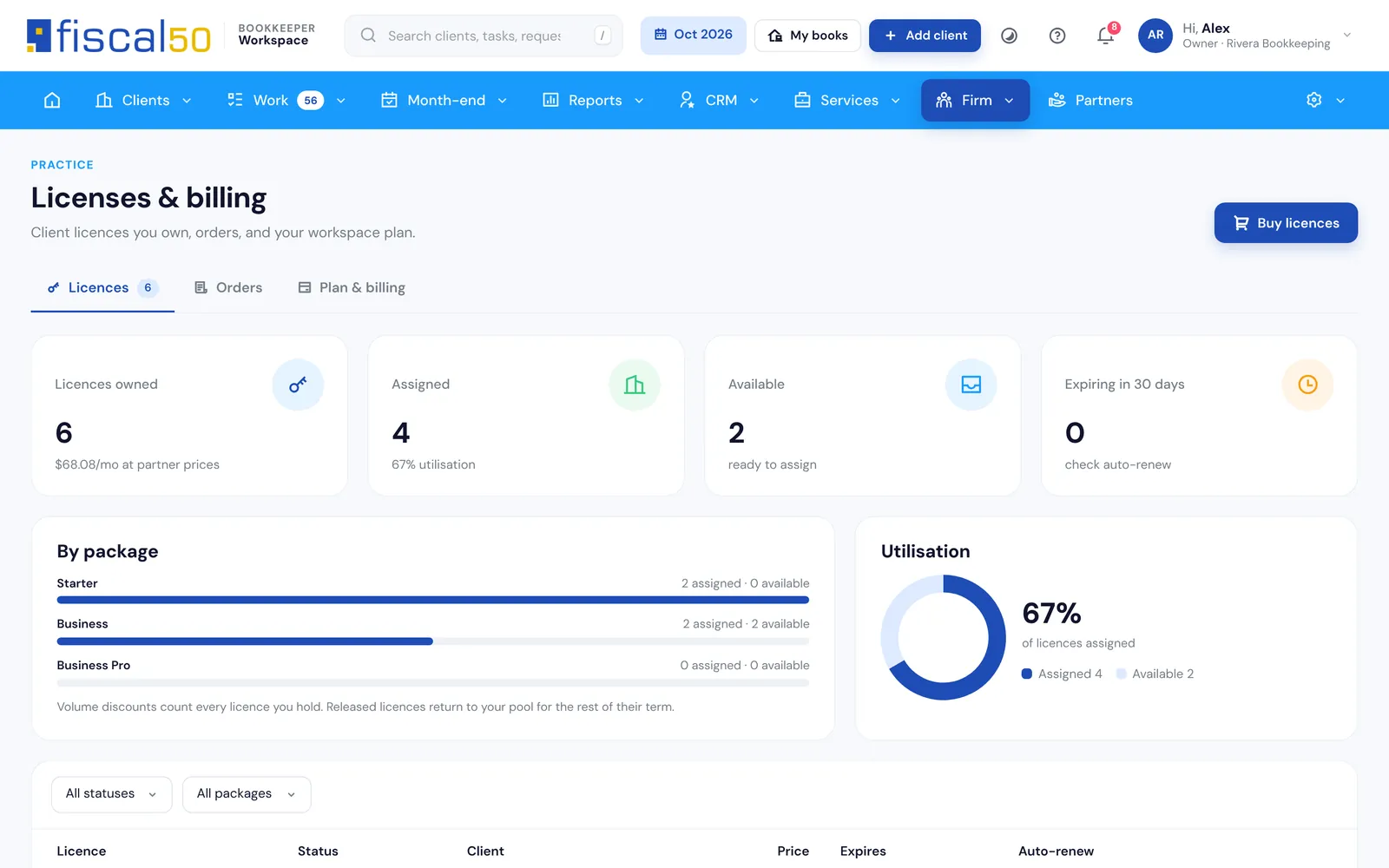
Licenses: buy fiscal50 licenses at partner prices (15% to 30% off retail), add the client and see use and expiries in Licenses and plan
Access the client controls: Full access, Standard or View only, and the client can end access at any time
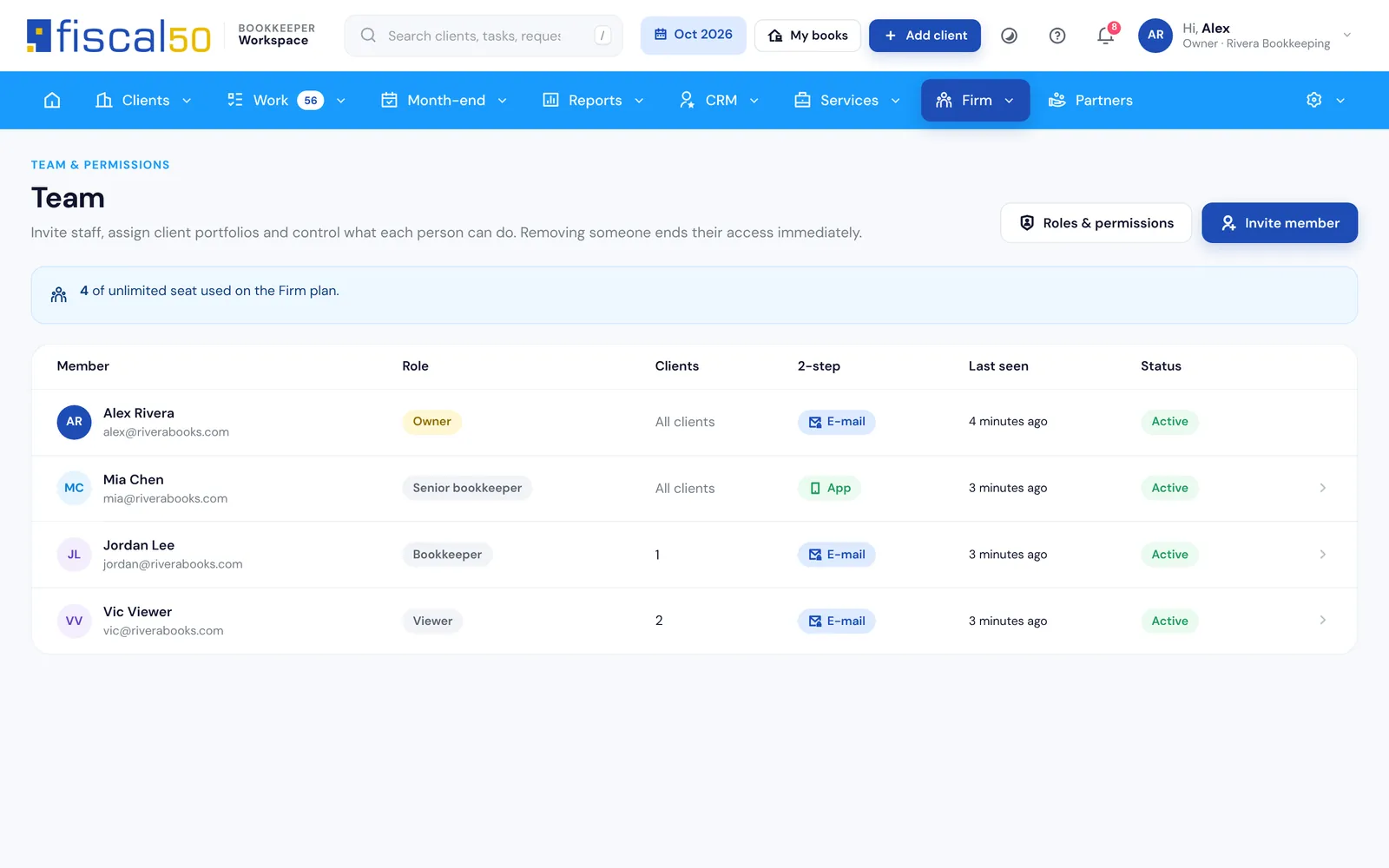
Seats for your team: Connect has 1 seat (the owner), Practice up to 4 and Firm up to 11; each person sees the clients their role allows
Your own books: link your firm’s company and open it from My books
Licenses and plan: the fiscal50 licenses you own and how many are in use
Three ways to work with clients
Who pays fiscal50 for each client?
Your plan covers the workspace. The arrangement only decides who pays fiscal50 for that client, and you can mix all three.
License partner
You buy the client’s license
Buy fiscal50 licenses in the Workspace at partner prices, 15% to 30% off retail. Add the client with basic details; fiscal50 creates the company and the plan follows the license. Bill your client however you like.
Who pays fiscal50
You, at partner prices
Client pays directly
The client pays fiscal50
Add the client the same way. The client verifies and pays fiscal50 at retail, and you stay on as their bookkeeper, earning a 20% revenue share for 12 months through the partner program.
Who pays fiscal50
The client
Client connected you
The client invites you
A business already on fiscal50 enters your connect code under My bookkeeper, or approves your access request, and chooses the access level. Free on Connect.
Who pays fiscal50
The client
Mixed portfolioClients on all three arrangements at once.
Access levelsThe client gives Full access, Standard or View only.
The client stays in controlThe client can end access at any time, and that always wins.
No shared passwordsLog in opens the client’s own fiscal50 in a new tab. Every opening is recorded.
My clients: the three arrangement counters, your connect code and Log in for every client
One dashboard for every client
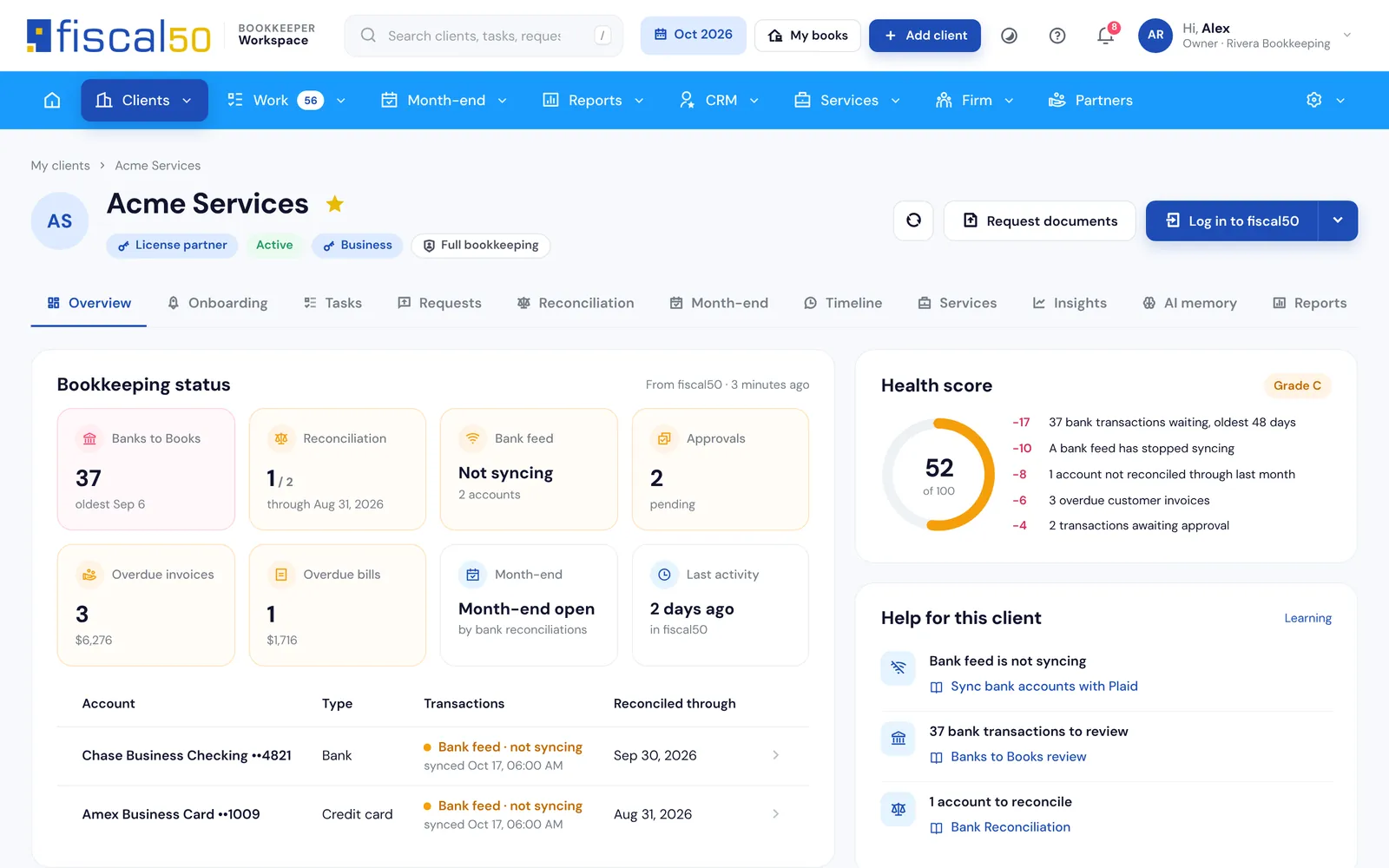
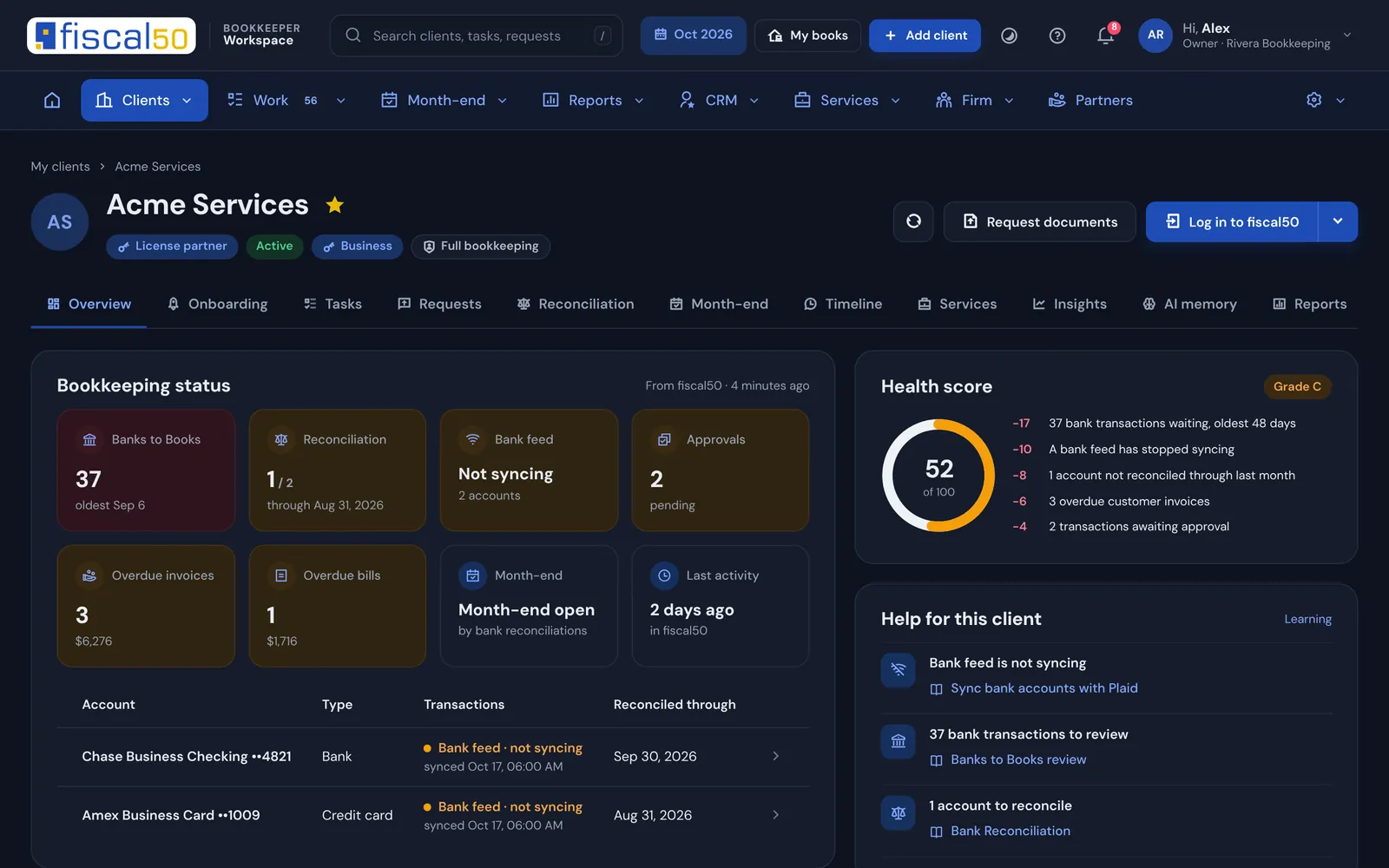
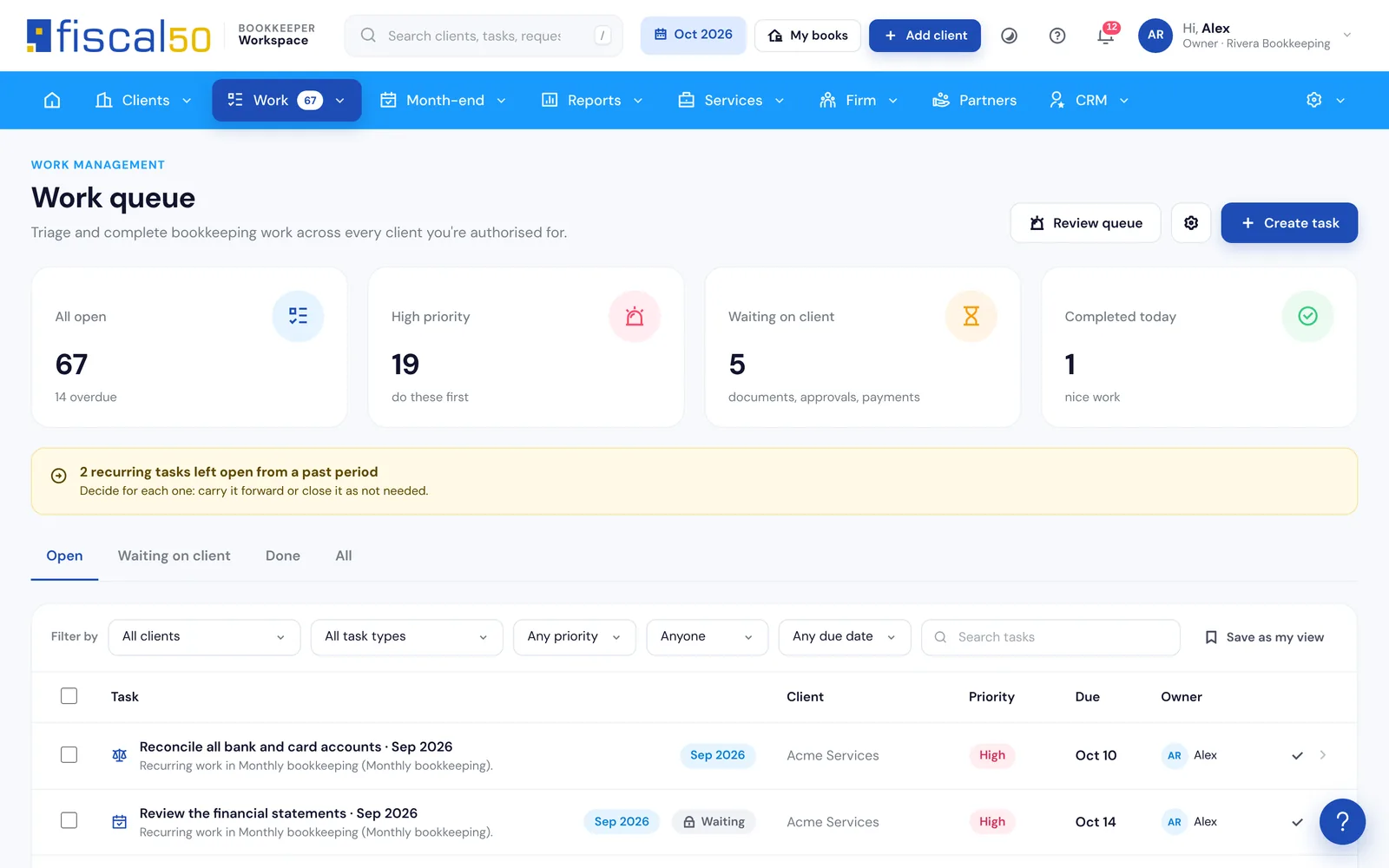
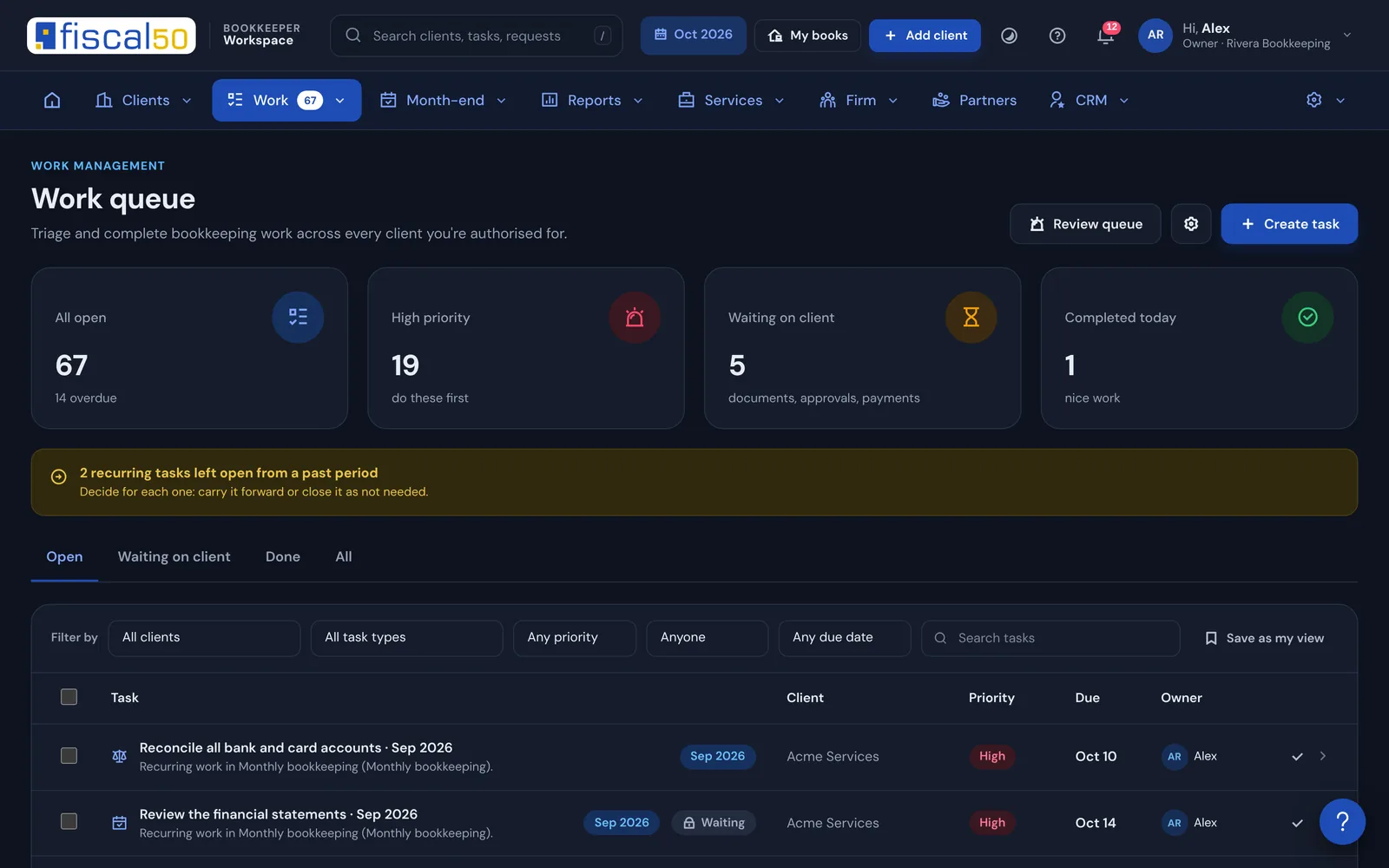
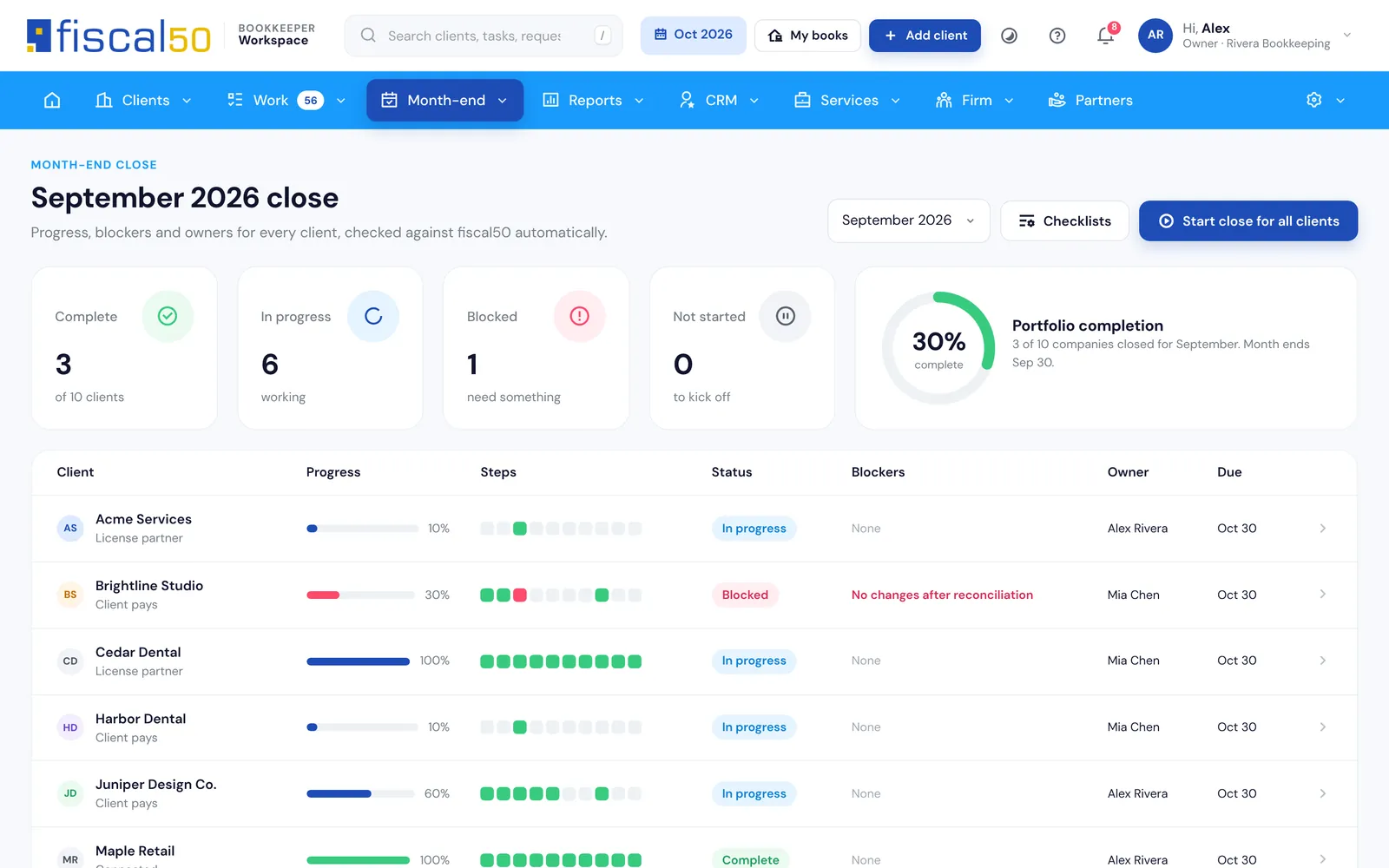
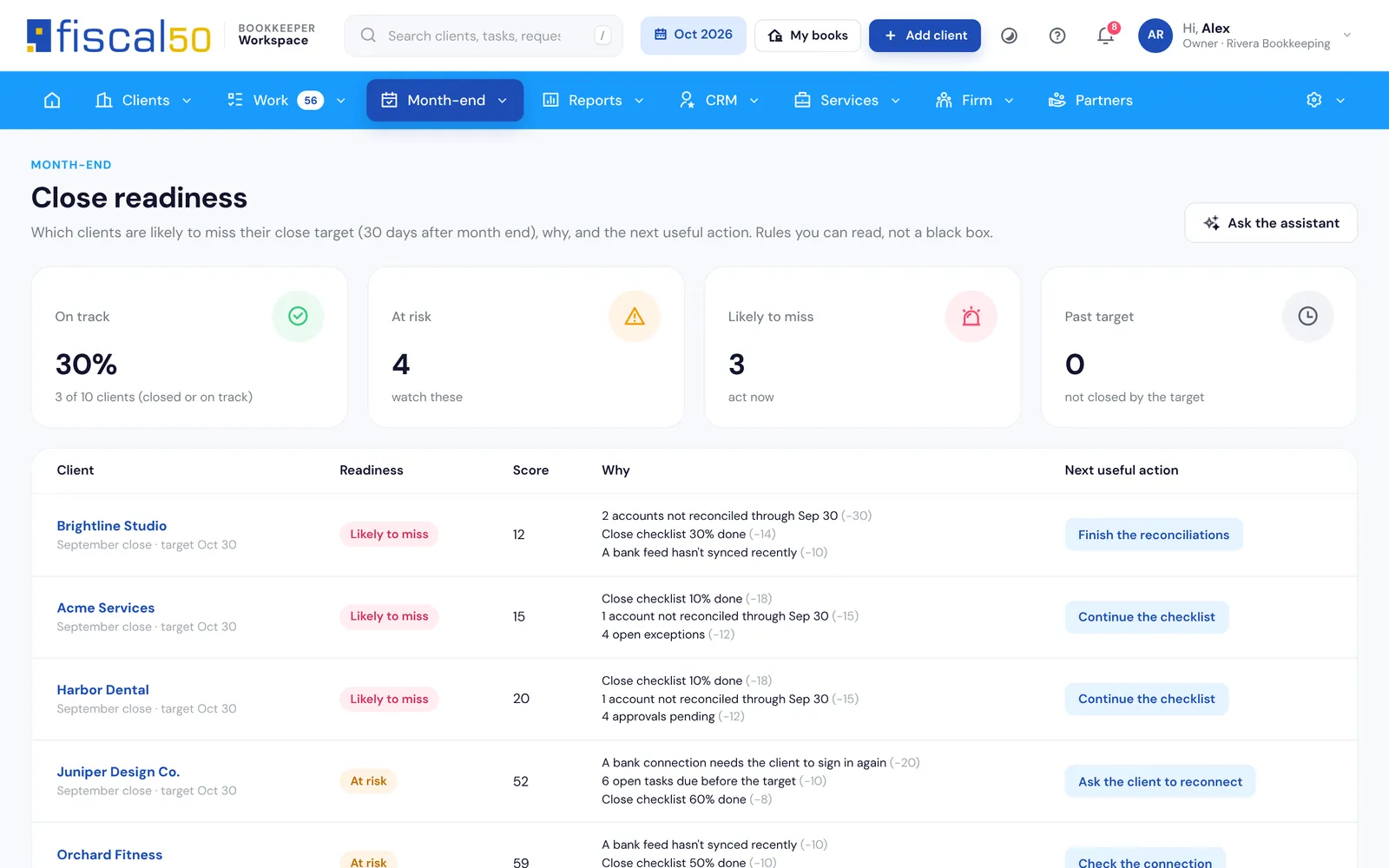
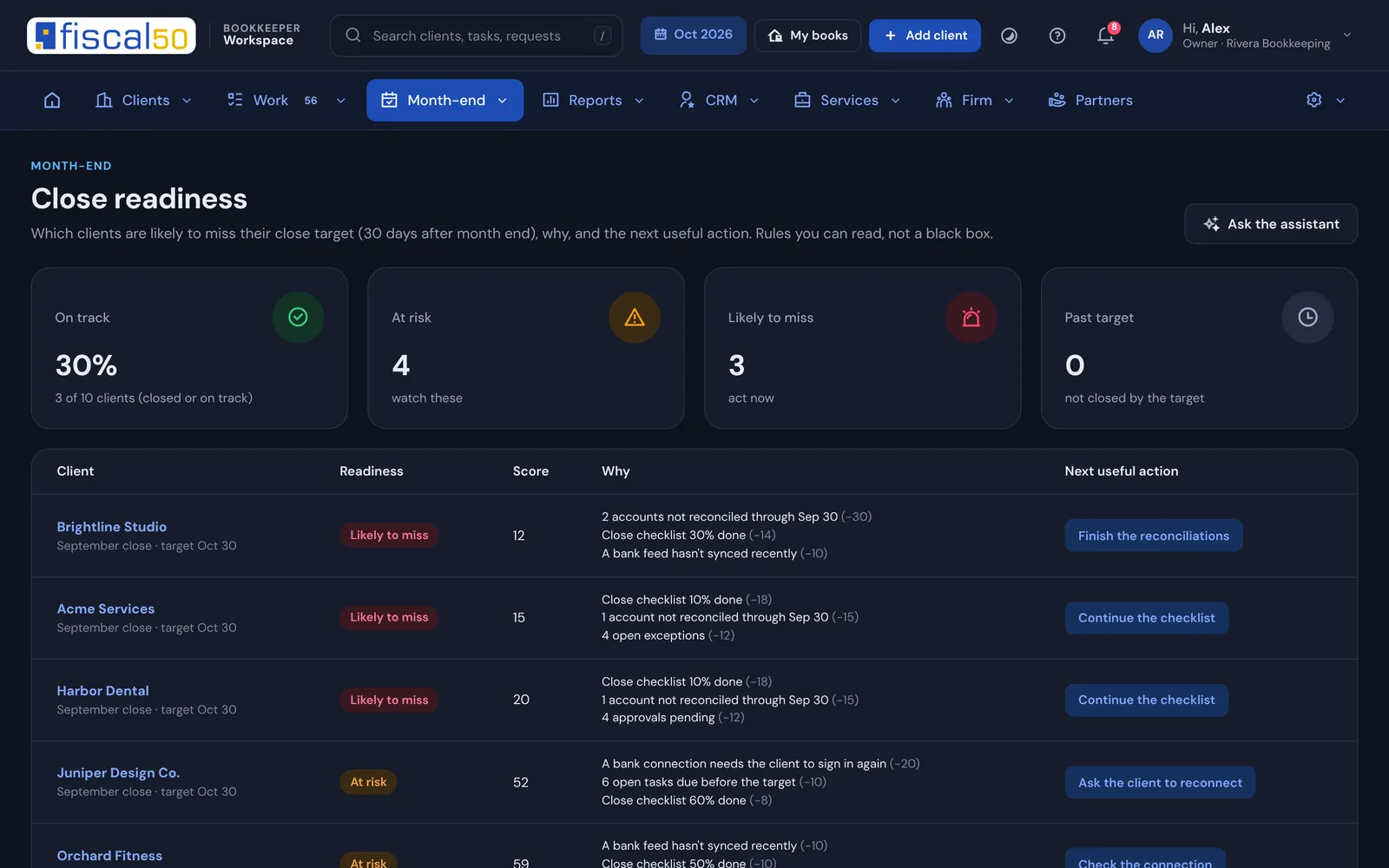
Which client needs you today?
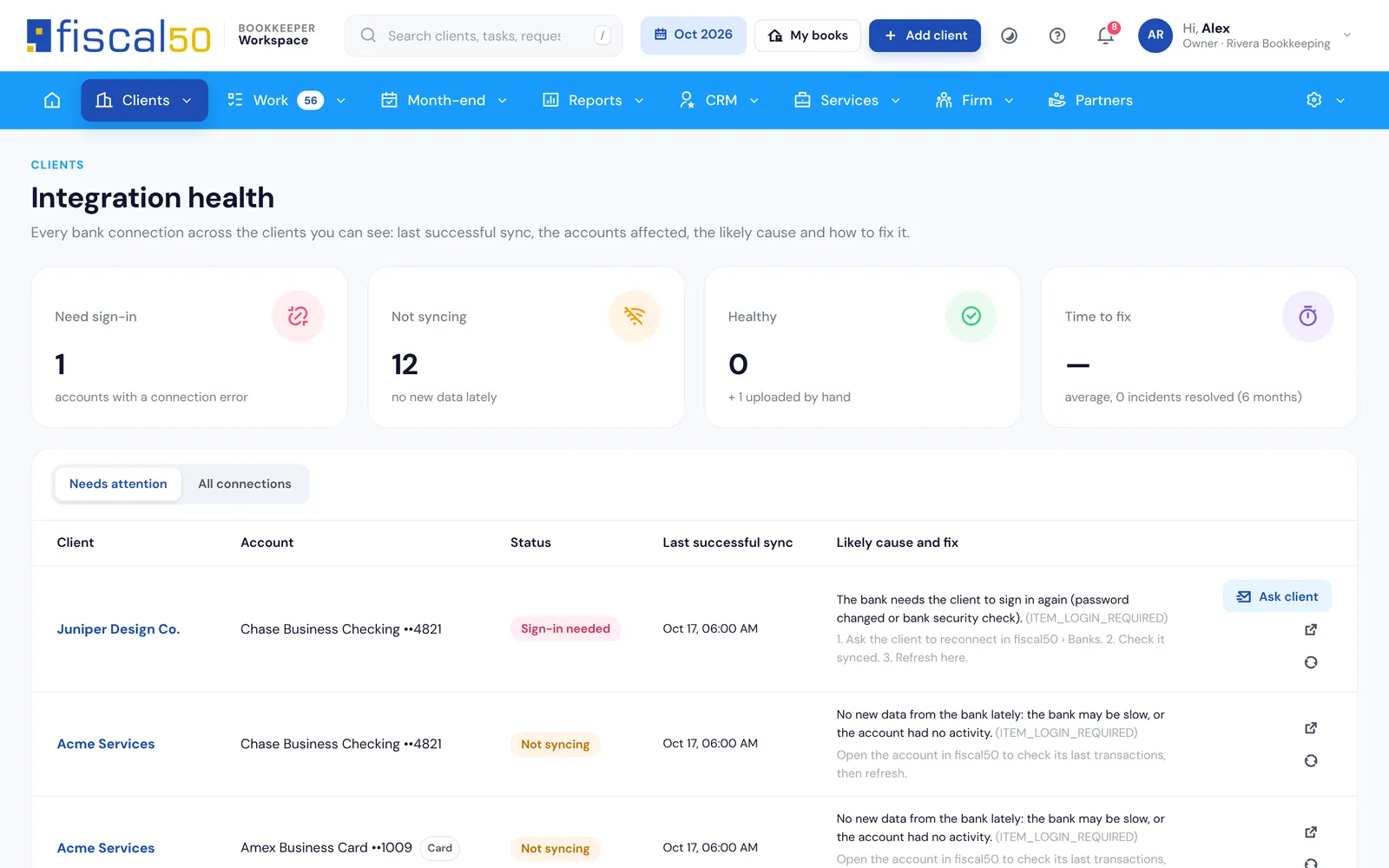
Bank feeds, Banks to Books backlog, reconciliations, approvals and a health score with reasons, for every client, read straight from fiscal50.
One workflow for every client
What does a standard monthly workflow look like for each client?
The same four stages run for every client, so anyone on the team can pick up any client. The work happens in the client’s fiscal50, and the Workspace shows where each client stands.
Onboard
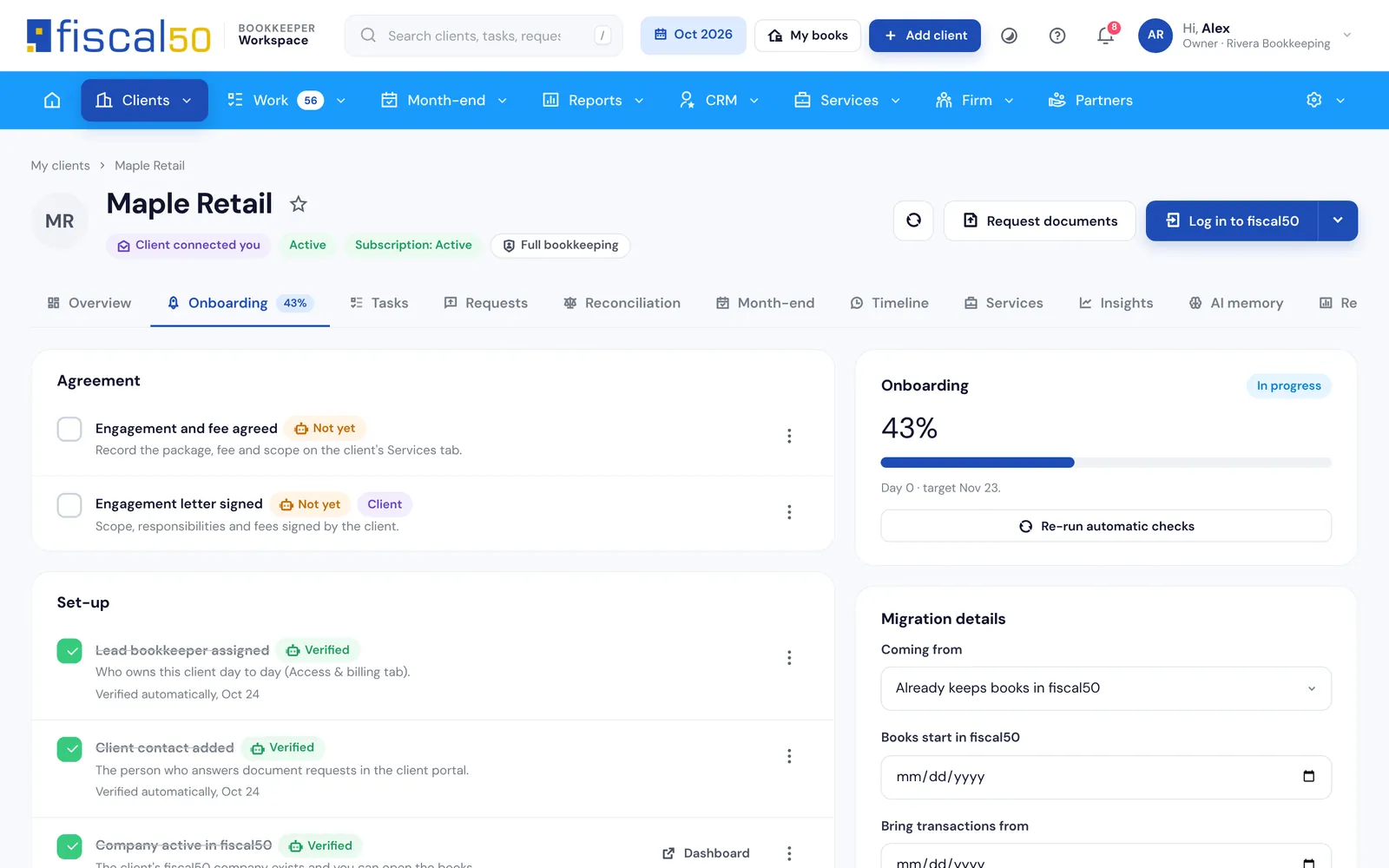
A checklist for the client’s source system covers agreement, setup, data, opening balances and banks. For QuickBooks clients, the configuration agent imports the chart of accounts and trial balance and checks that debits equal credits before you approve the import.
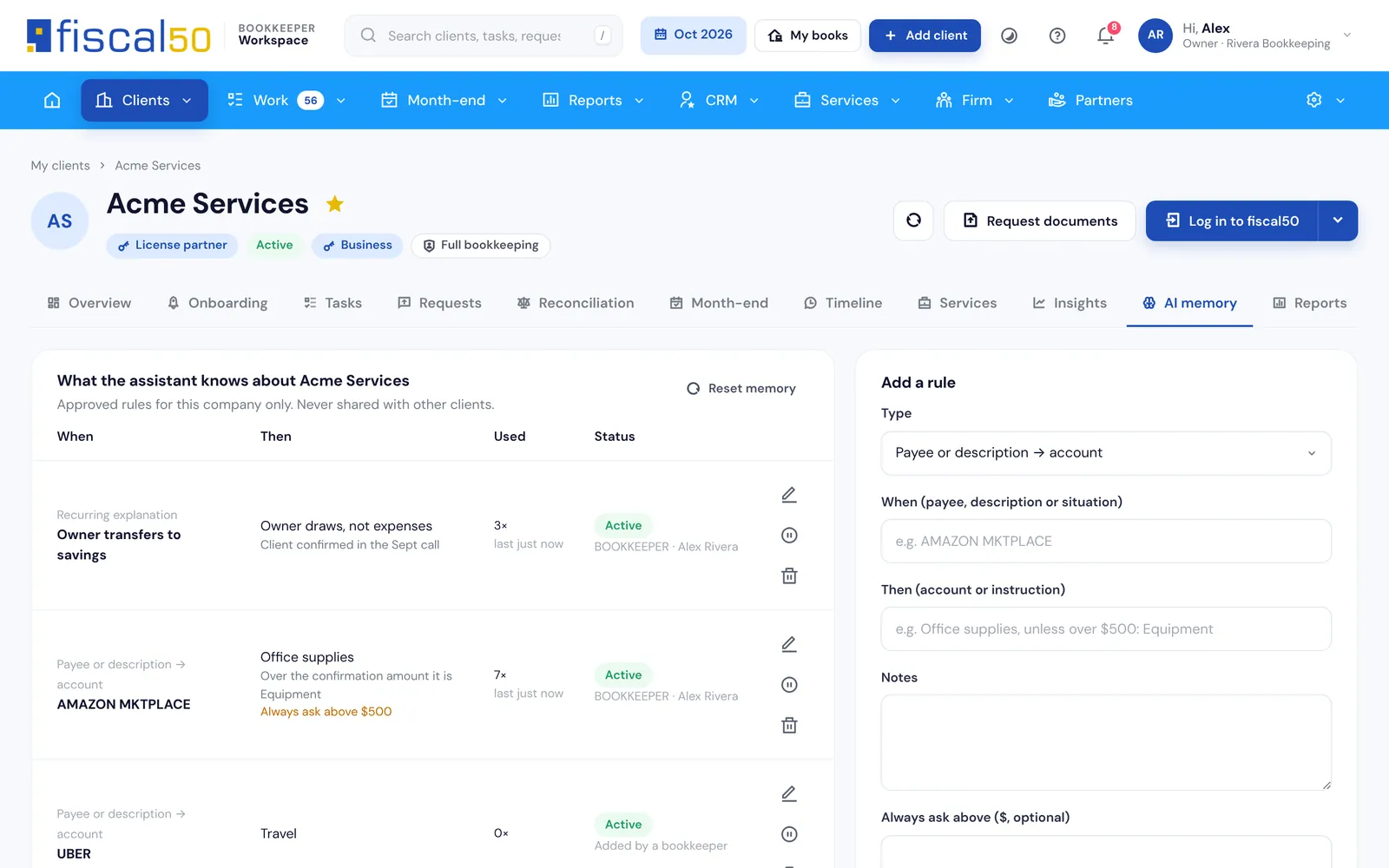
Bank and card transactions arrive in Banks to Books. AI pre-selects a recommendation for each one with a reason, a confidence percentage and the evidence, and nothing posts until you click Post. Rules you approve in client AI memory apply to that client only.
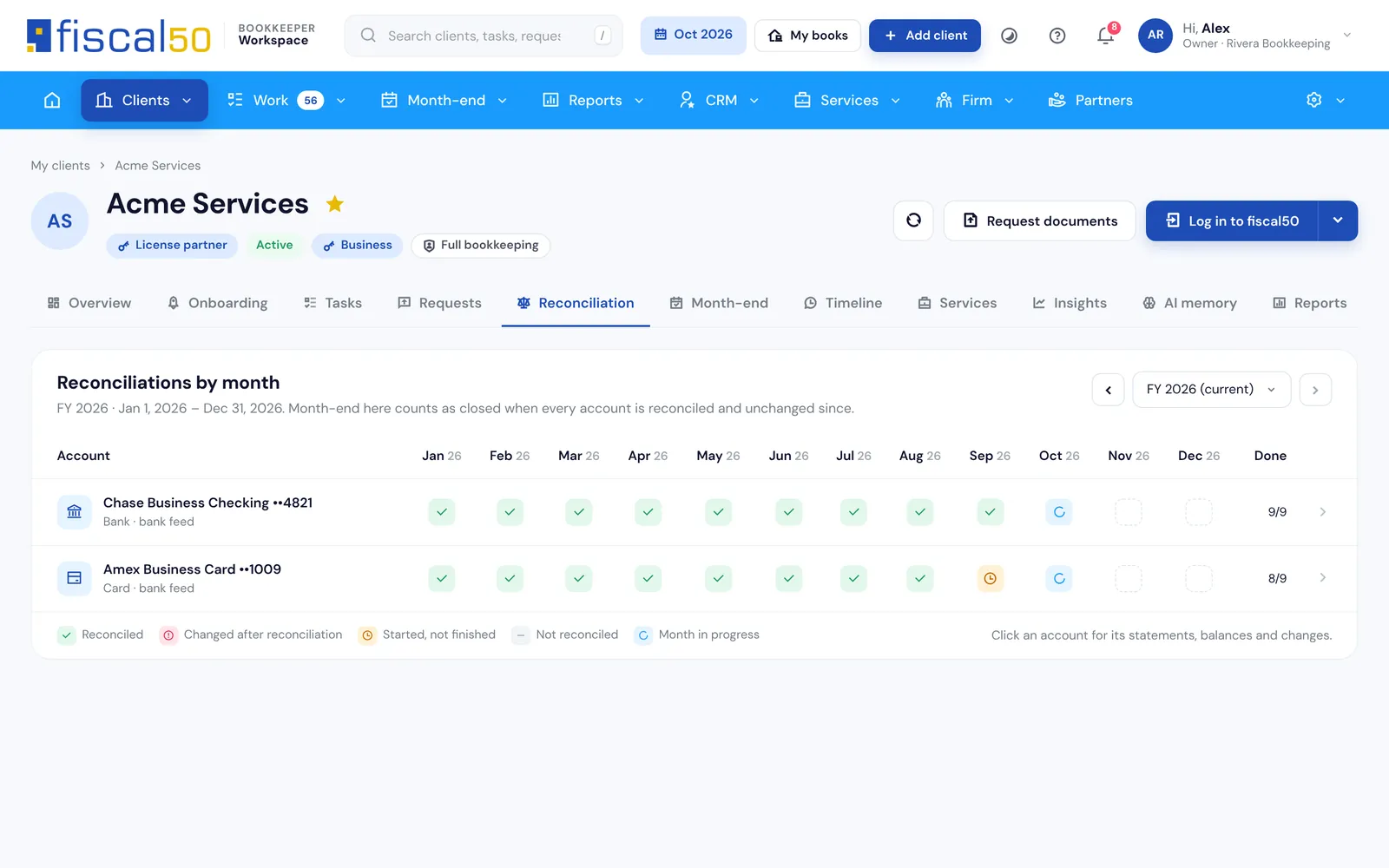
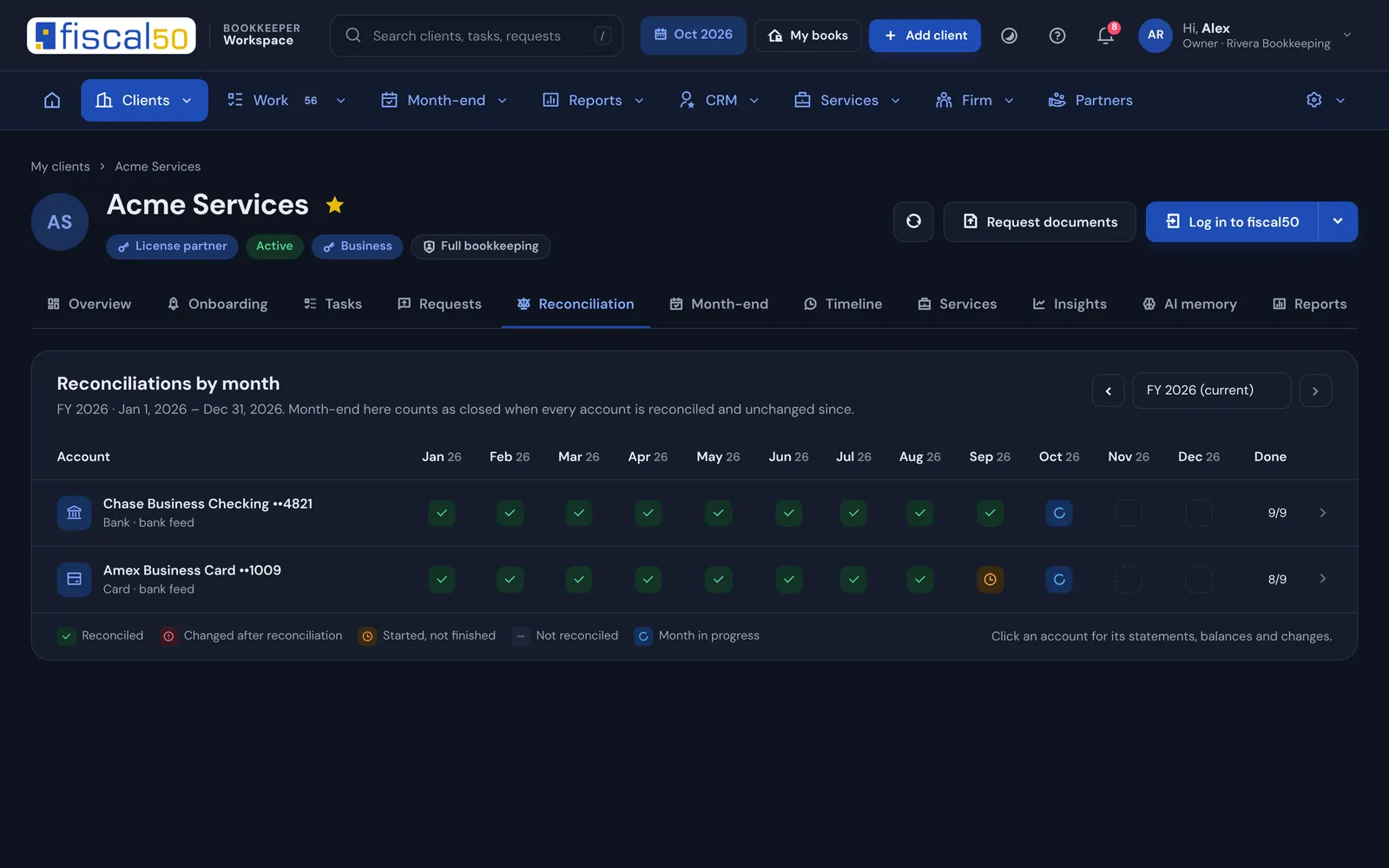
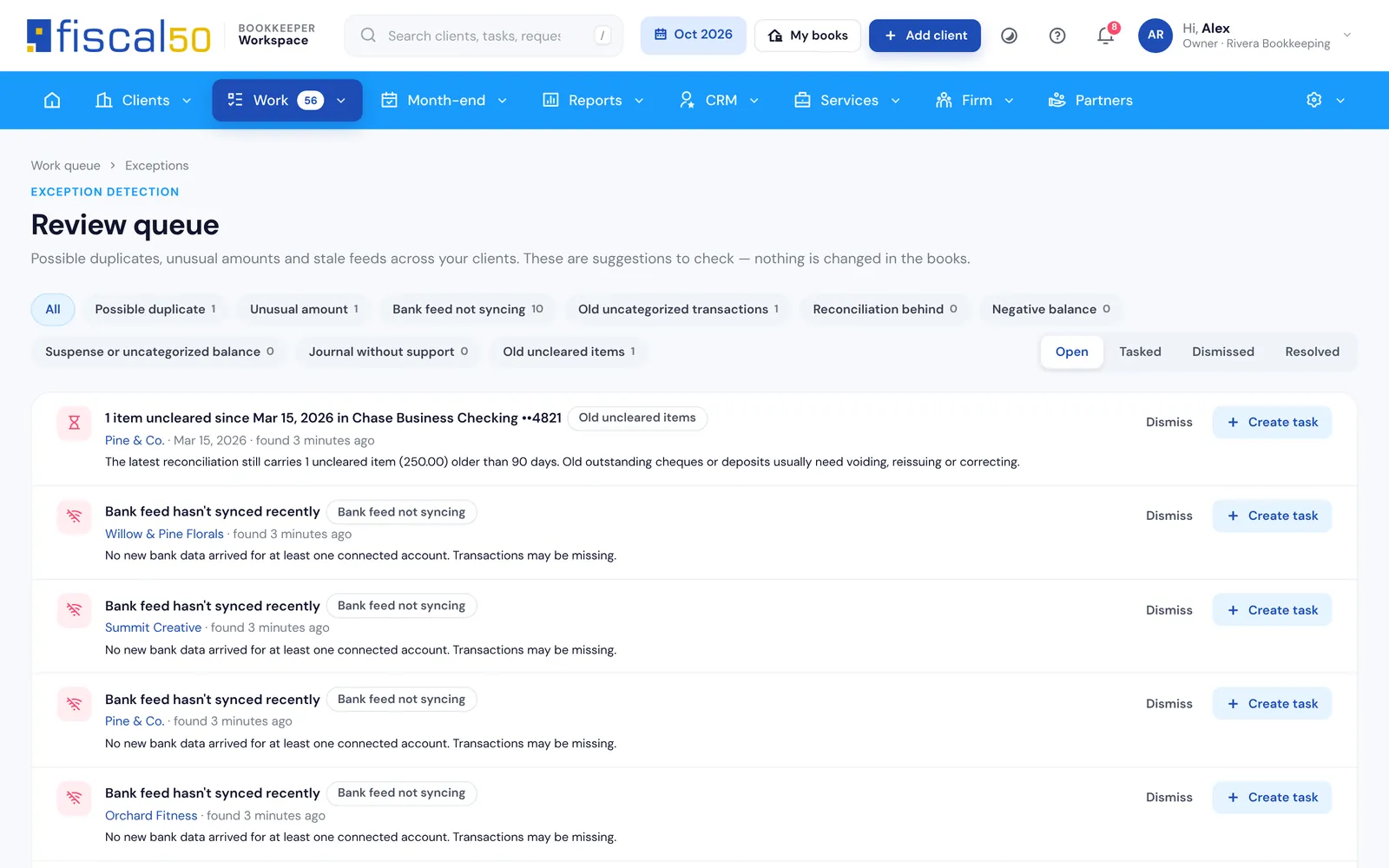
Reconcile every bank, card and loan account period by period. On fiscal50 Business and Business Pro, auto-reconciliation checks the predicted ending balance against the bank and clears matching transactions, stopping where a period needs you. The Workspace flags anything posted or deleted after reconciliation.
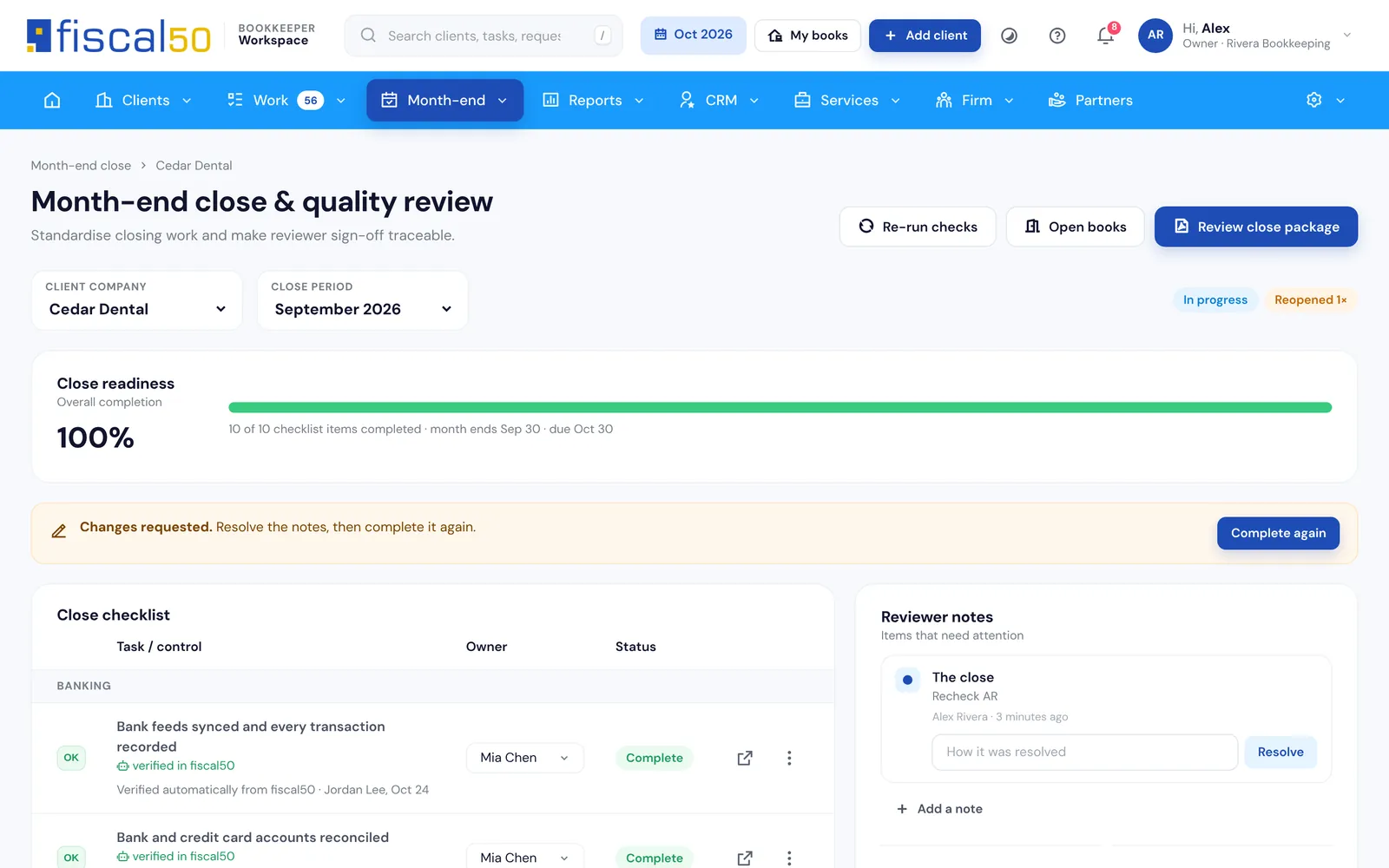
On Practice and Firm, the close board checks that Banks to Books is empty, accounts are reconciled and approvals are cleared, and a second person signs off. fiscal50 then locks the month so nothing dated in it can change.
How do you close the books for every client, checked against fiscal50?
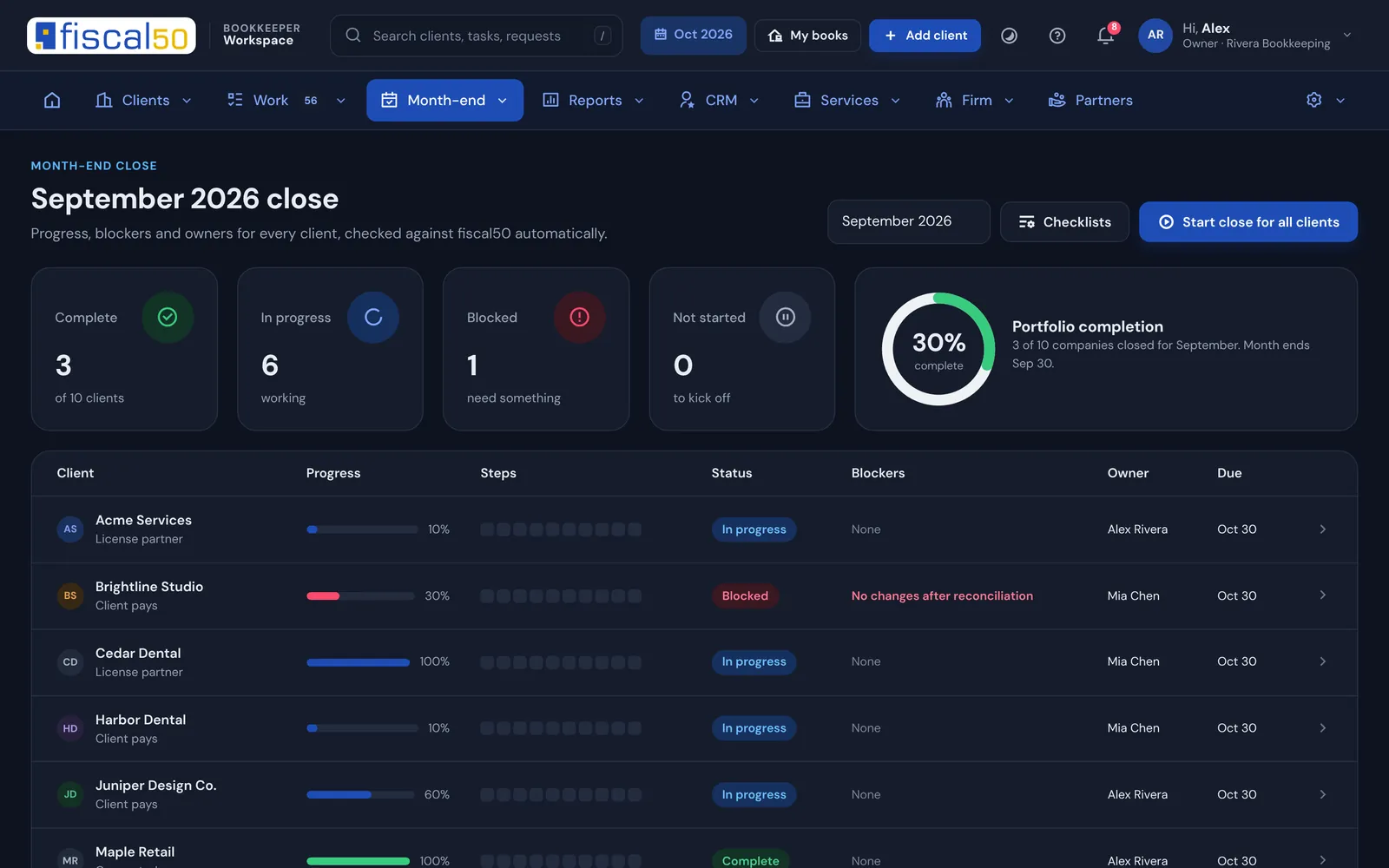
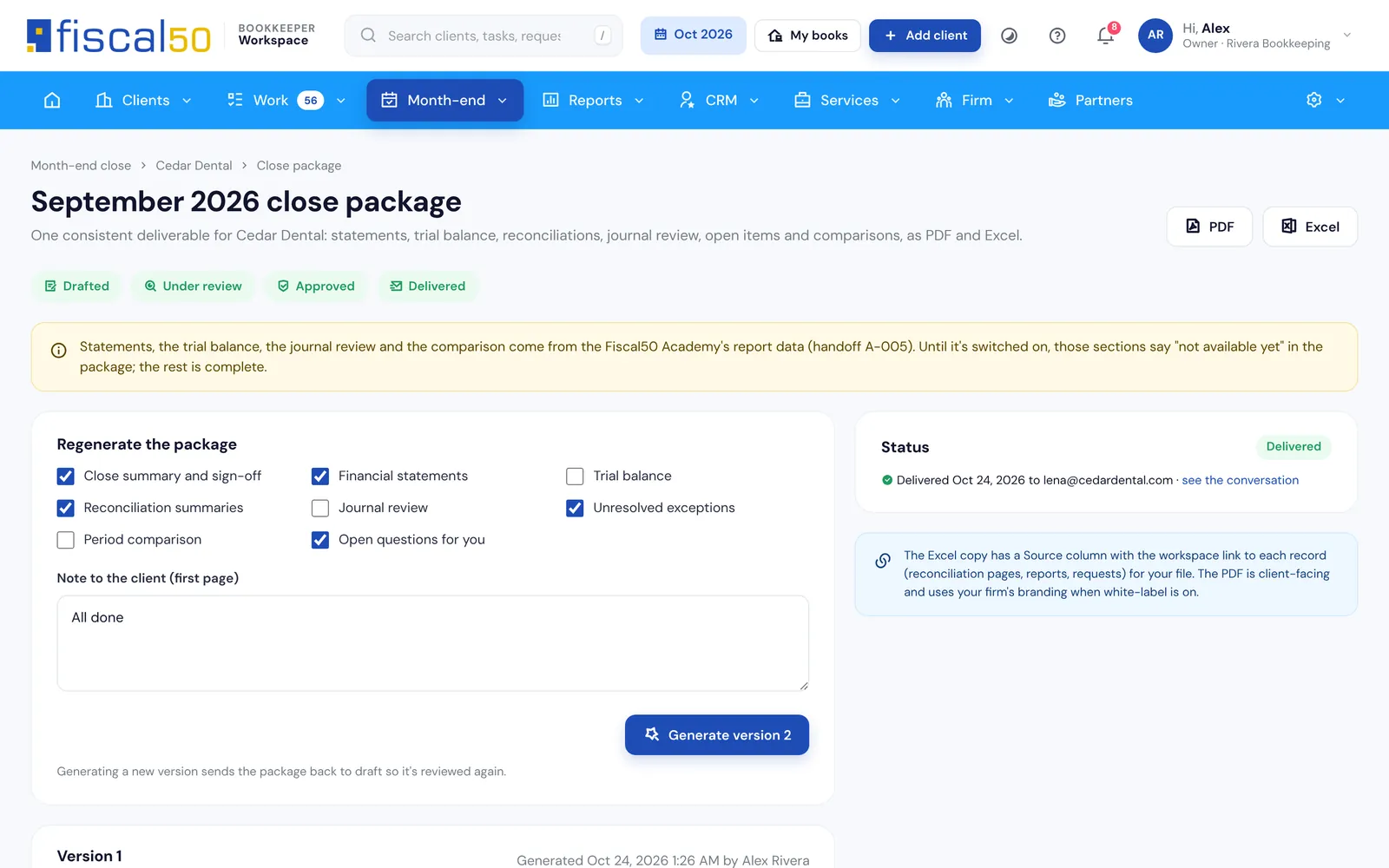
Start the month for all clients in one click. Checks tick themselves from fiscal50 data, a reviewer signs off, and the client gets a close package.
Starts itselfOpen the month for every client at once from your checklist templates.
Checks itselfEach step ticks from fiscal50 data, so nobody marks a reconciliation done by hand.
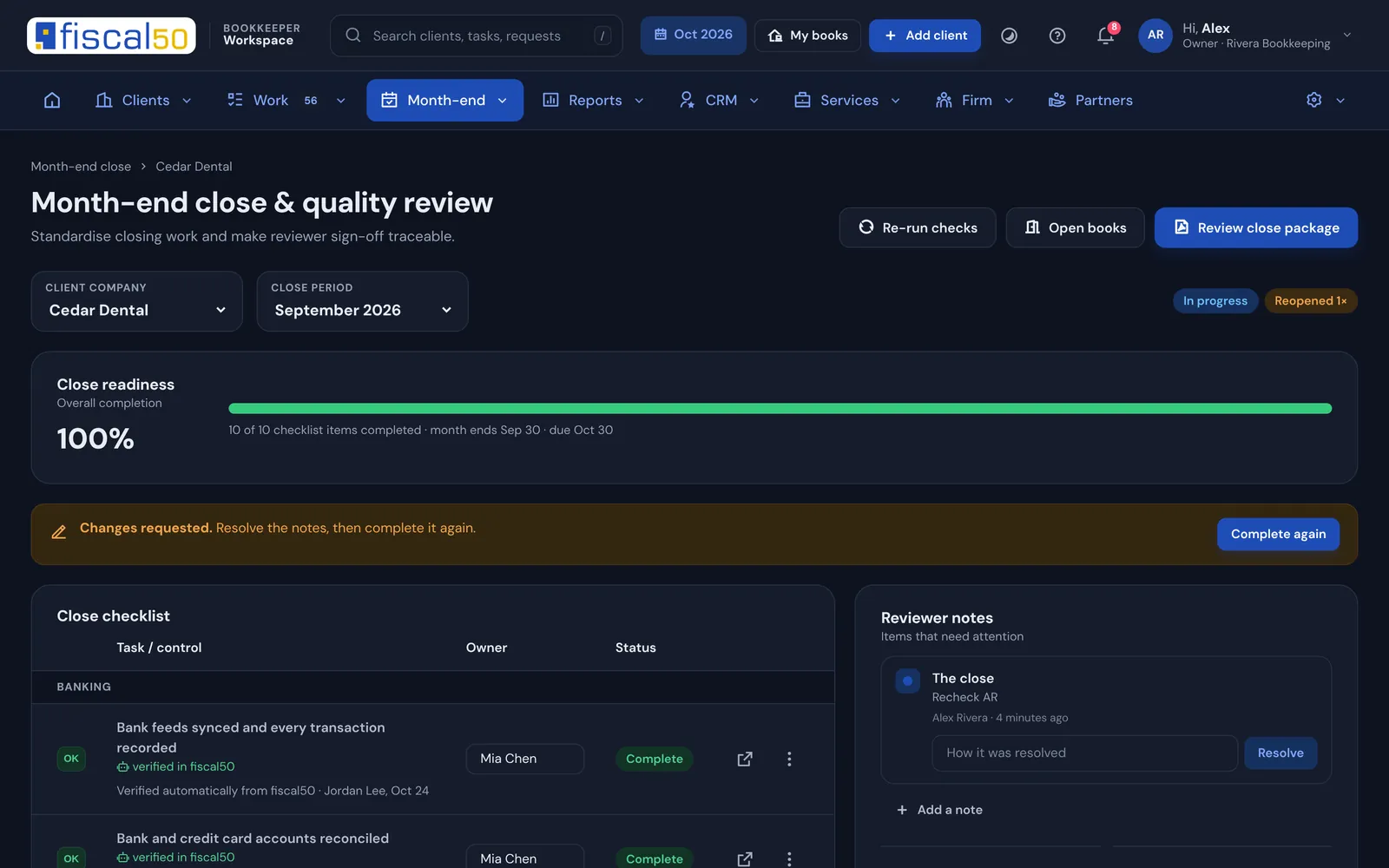
Four-eyes reviewNo approving your own close; reopening keeps an audit trail.
Client-readyThe close package goes to the client through the portal.
AI across your portfolio
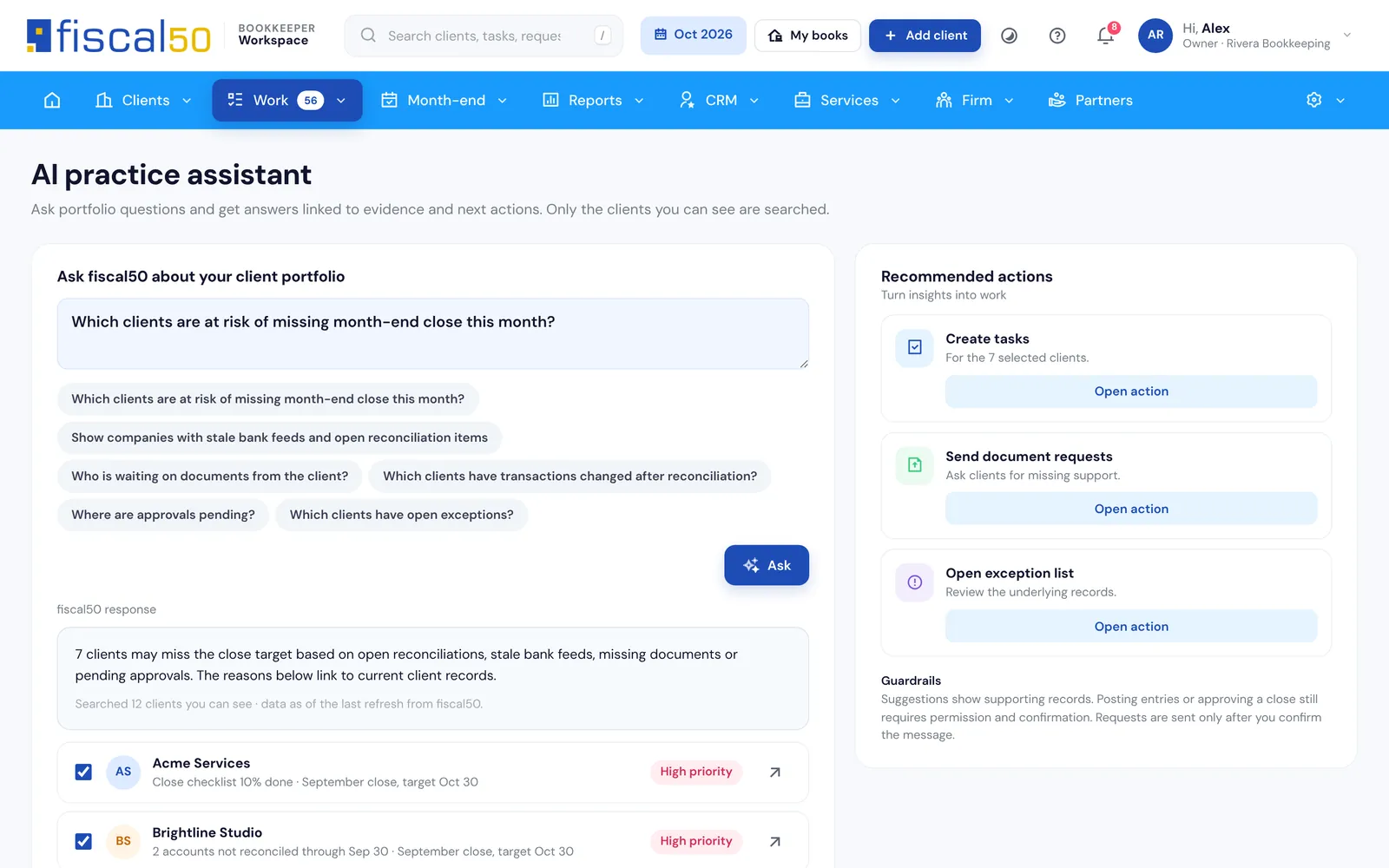
Can AI answer questions across all my clients?
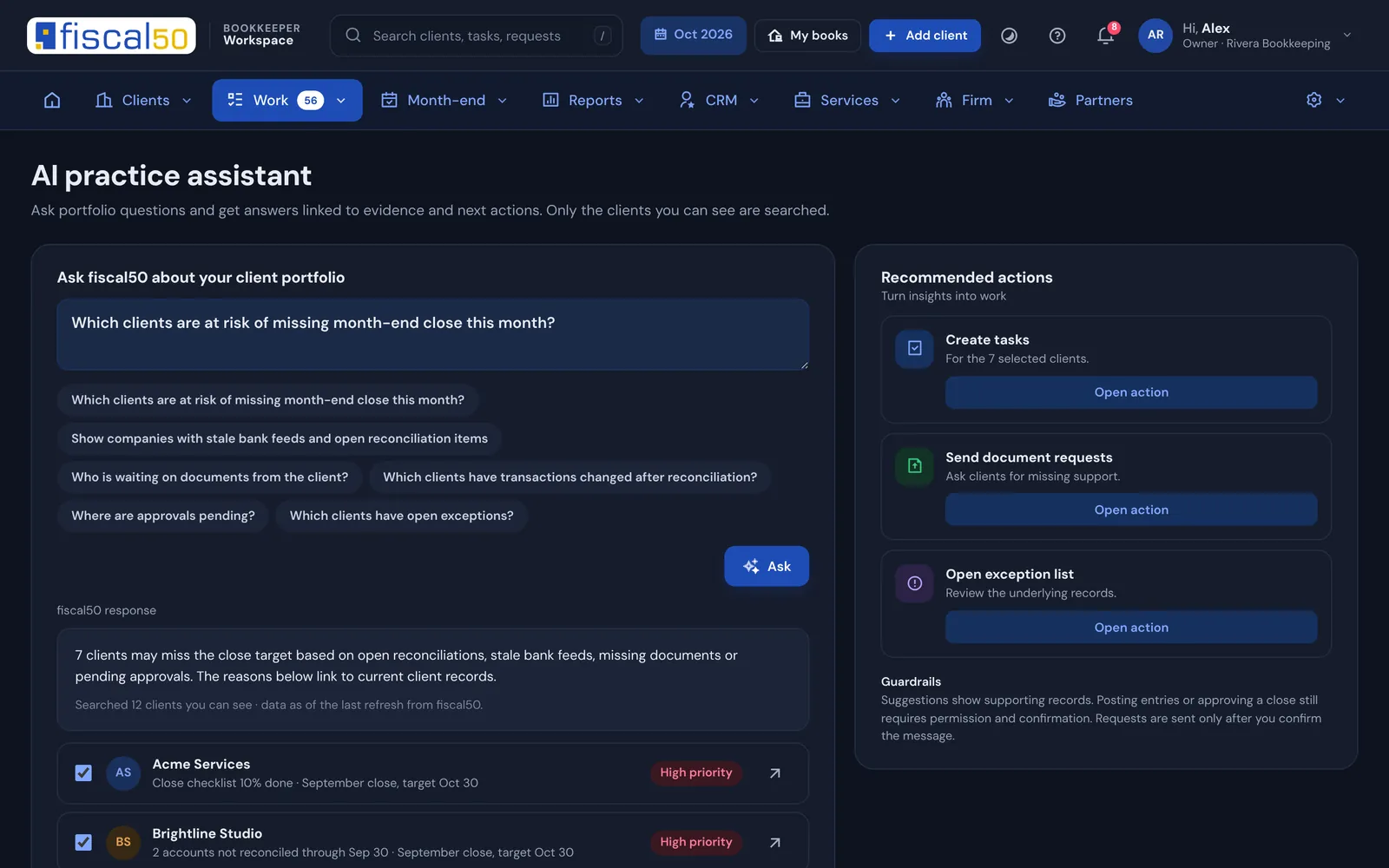
The AI practice assistant answers from your firm’s own records, shows the evidence per client, and turns the answer into tasks or document requests. It only searches the clients you are allowed to see.
Fifty is here too. The same Fifty as in fiscal50 sits on every Workspace page. Ask it how to do anything in fiscal50; bookkeeper analyses across your clients are rolling out.
Easy migration and onboarding
How do you onboard a client from QuickBooks, Xero or spreadsheets?
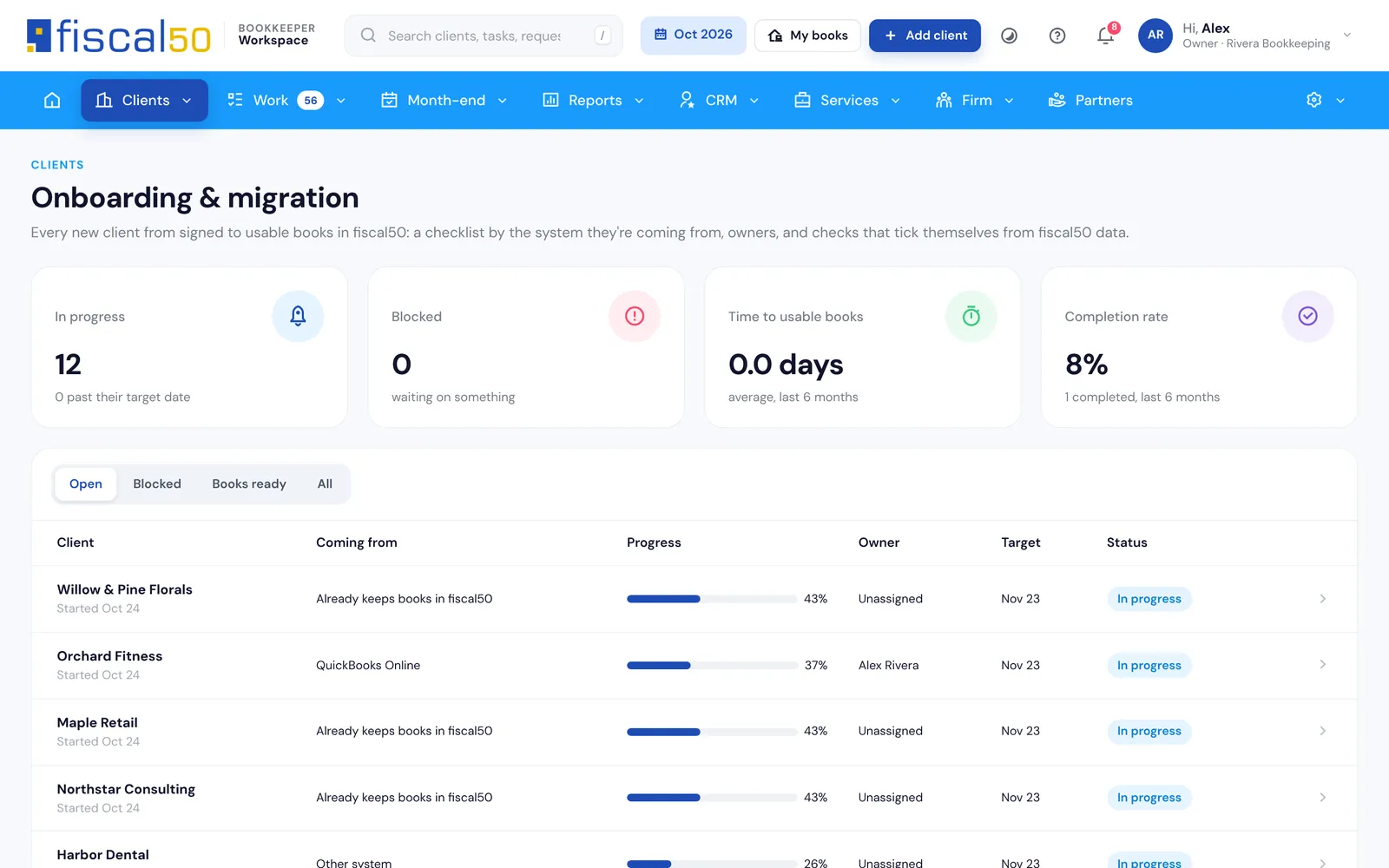
Each new client gets an onboarding checklist for their source system: agreement, setup, data, opening balances, banks, review and client steps. Steps tick themselves where fiscal50 shows them done.
QuickBooks Online
QuickBooks Desktop
Xero
Wave
FreshBooks
Zoho
Sage
Spreadsheets
New business
Already on fiscal50
Onboarding and migration center
One client’s checklist with verified steps
Client collaboration
How do clients send receipts and statements?
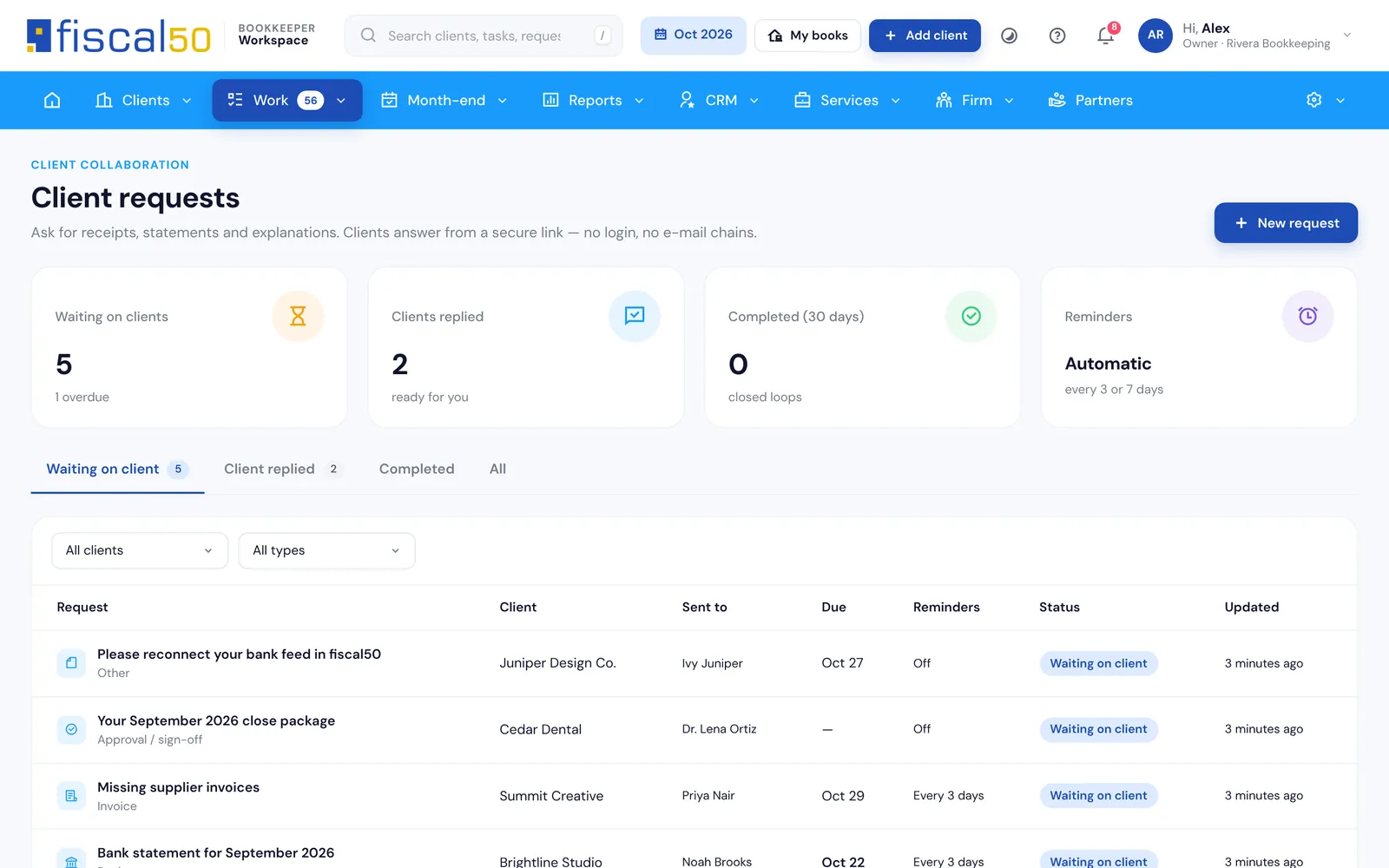
Ask a client for receipts, statements or answers. They upload through a secure portal with an e-mailed code, no login to remember, and reminders go out on their own. Client requests and the portal come with Practice and Firm.
Client requests with reminders and status (Practice and Firm)
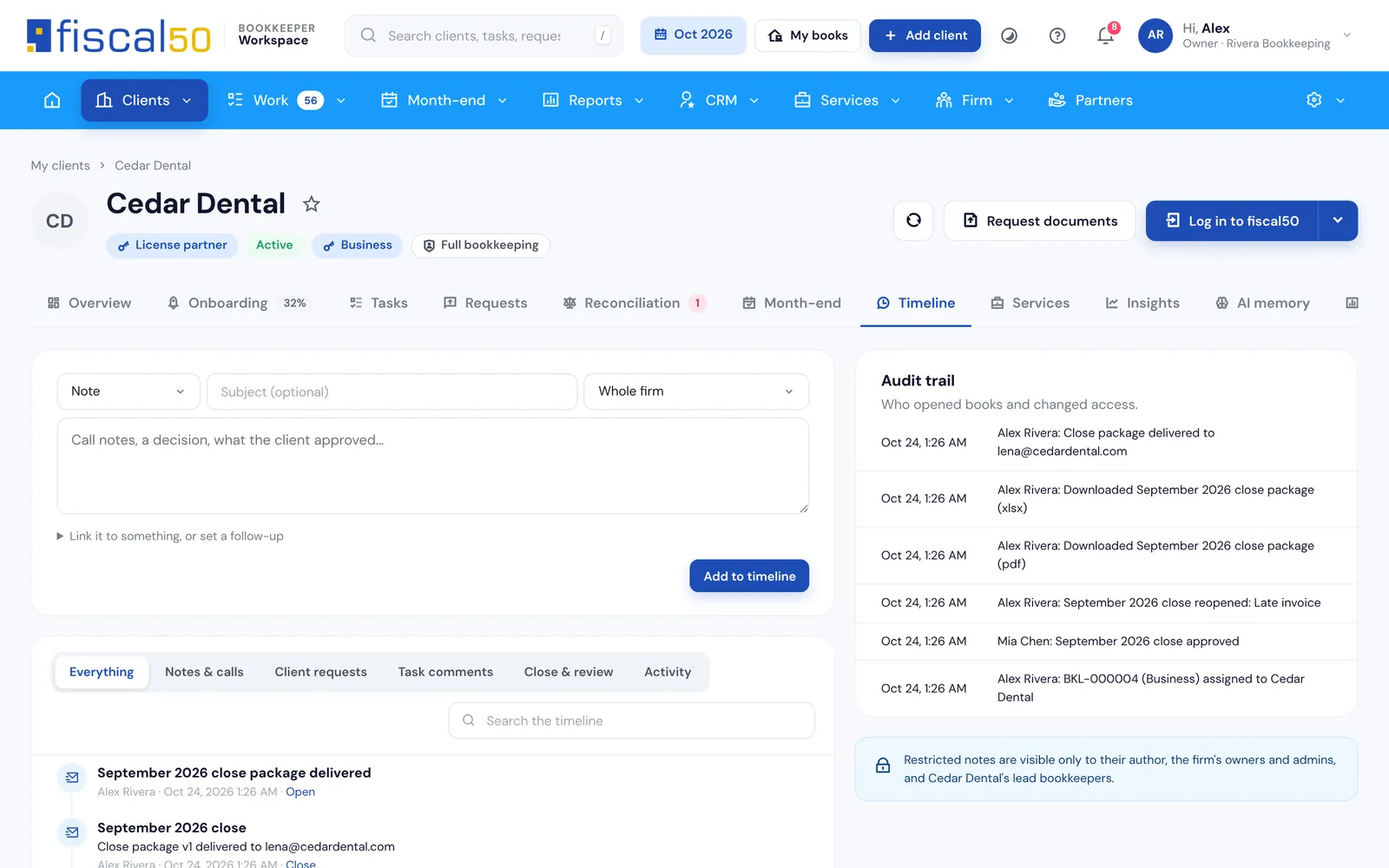
One timeline per client: notes, calls, decisions and close events
Grow and run the practice
Can I win, serve and bill clients from the same login?
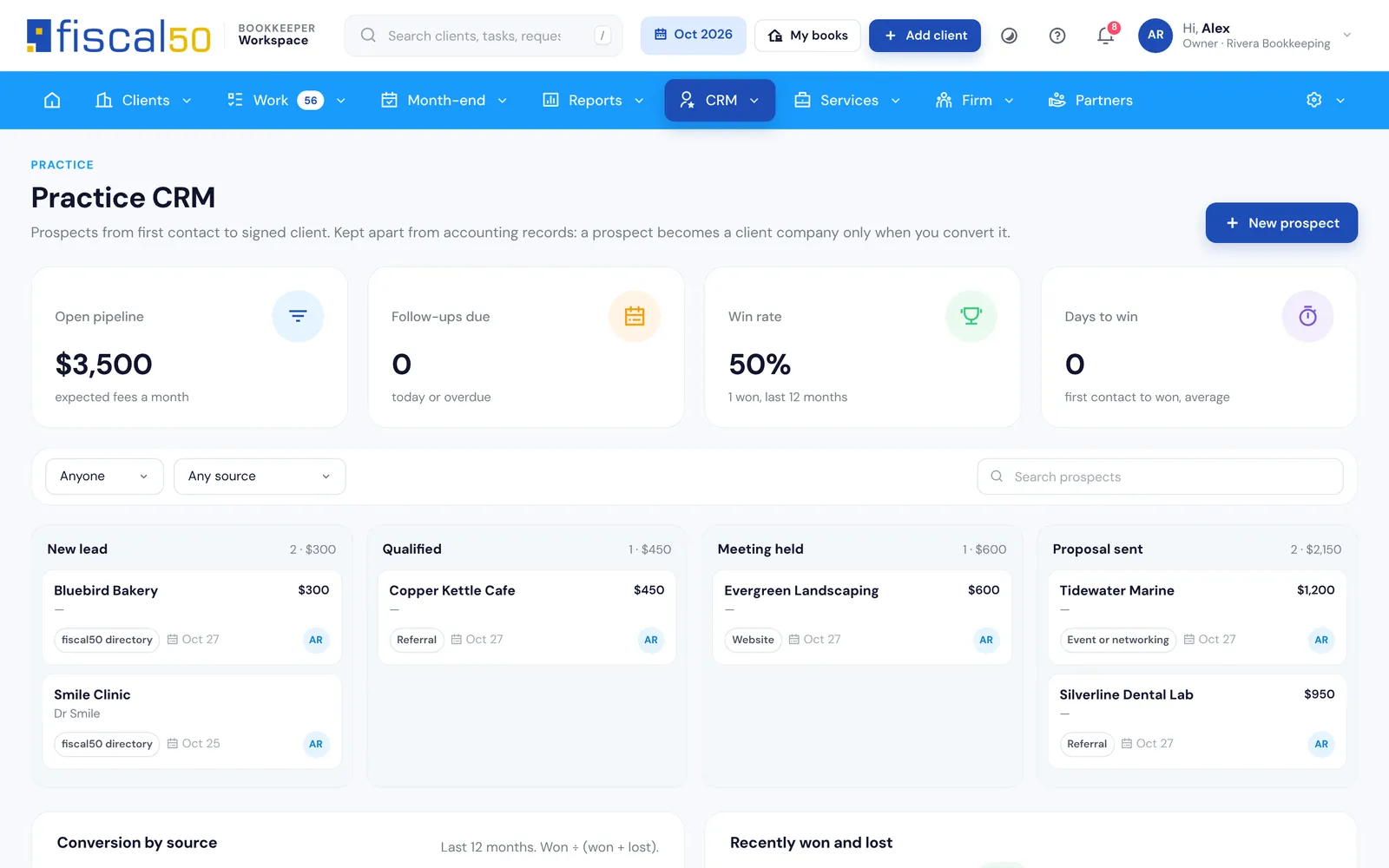
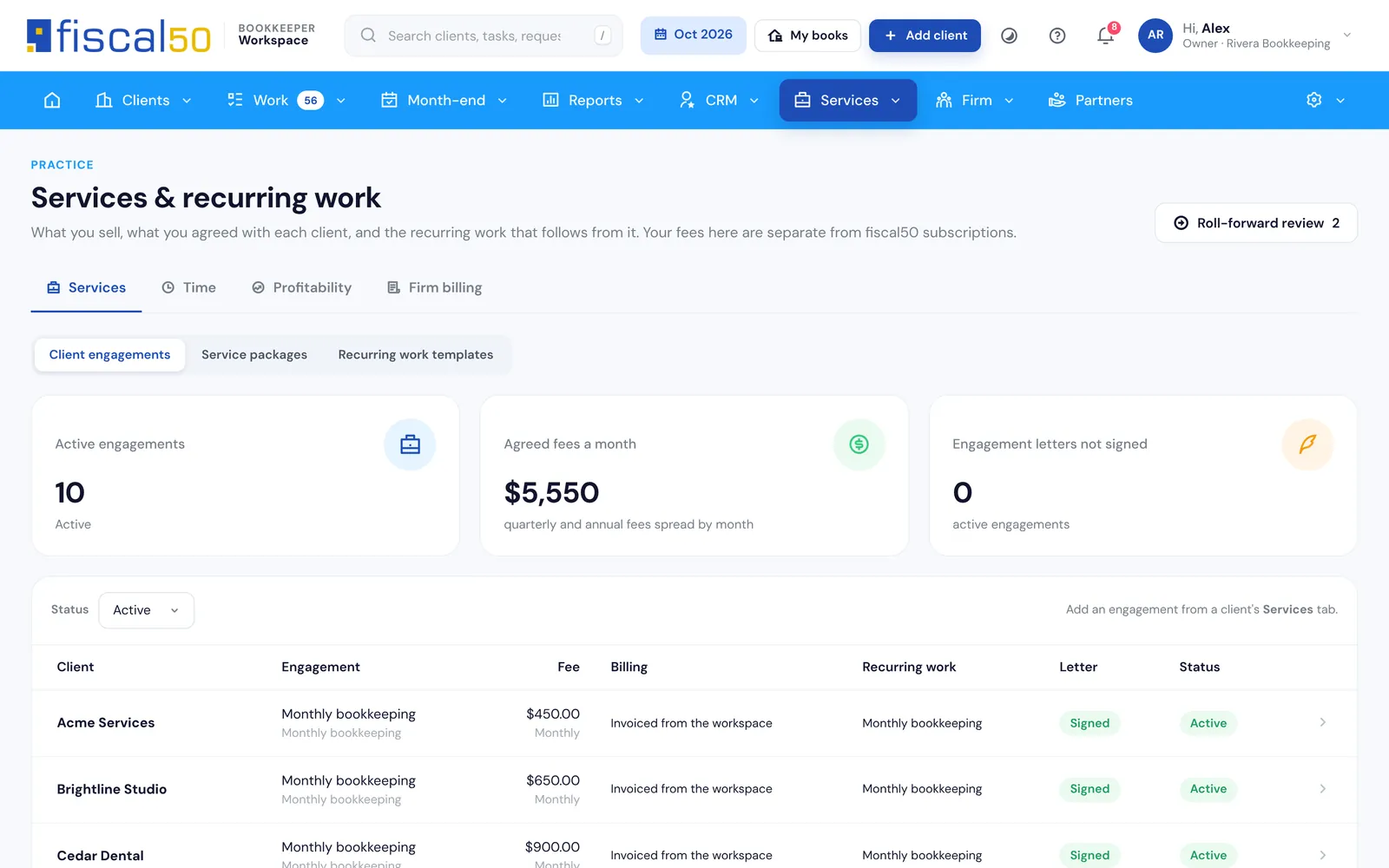
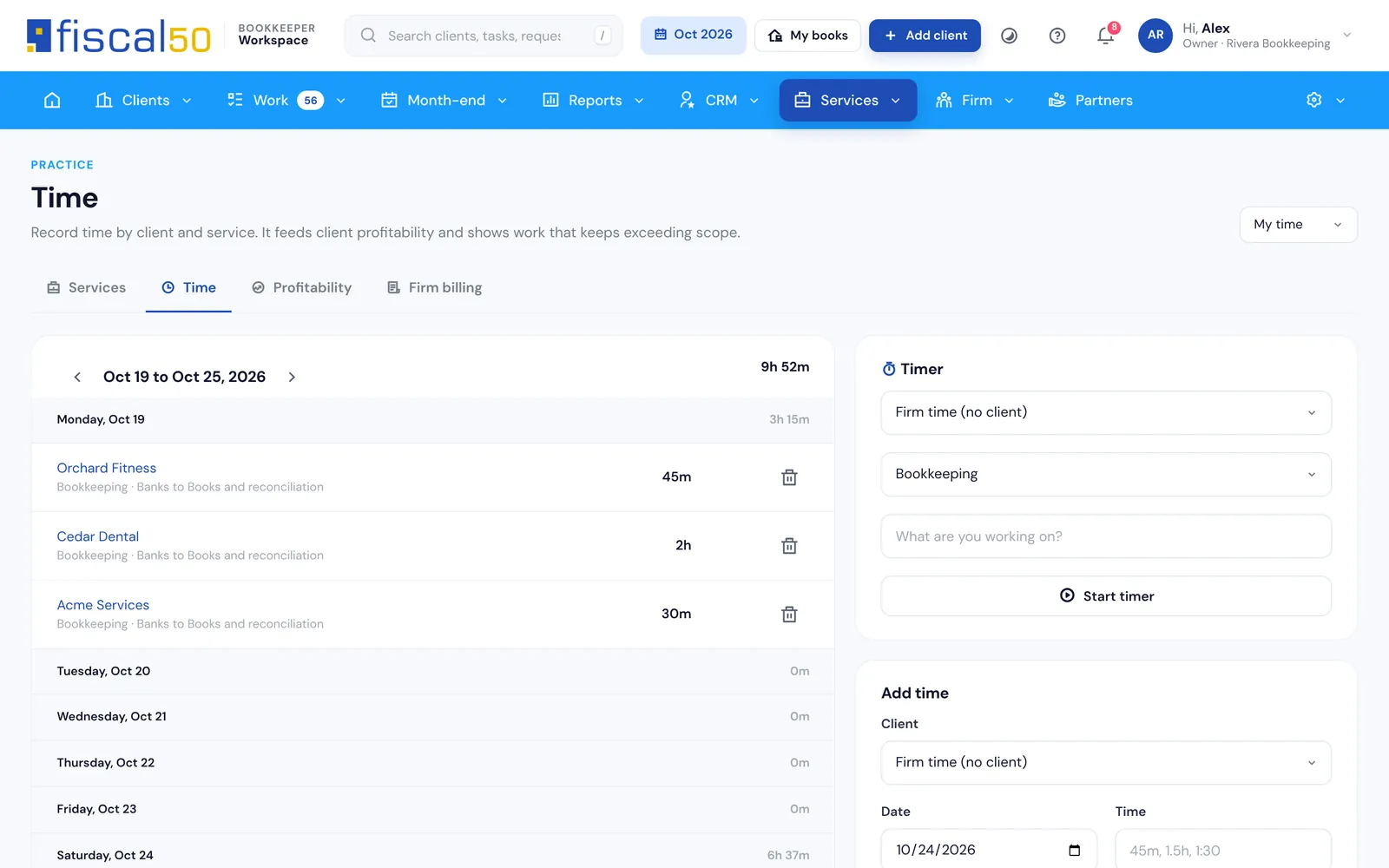
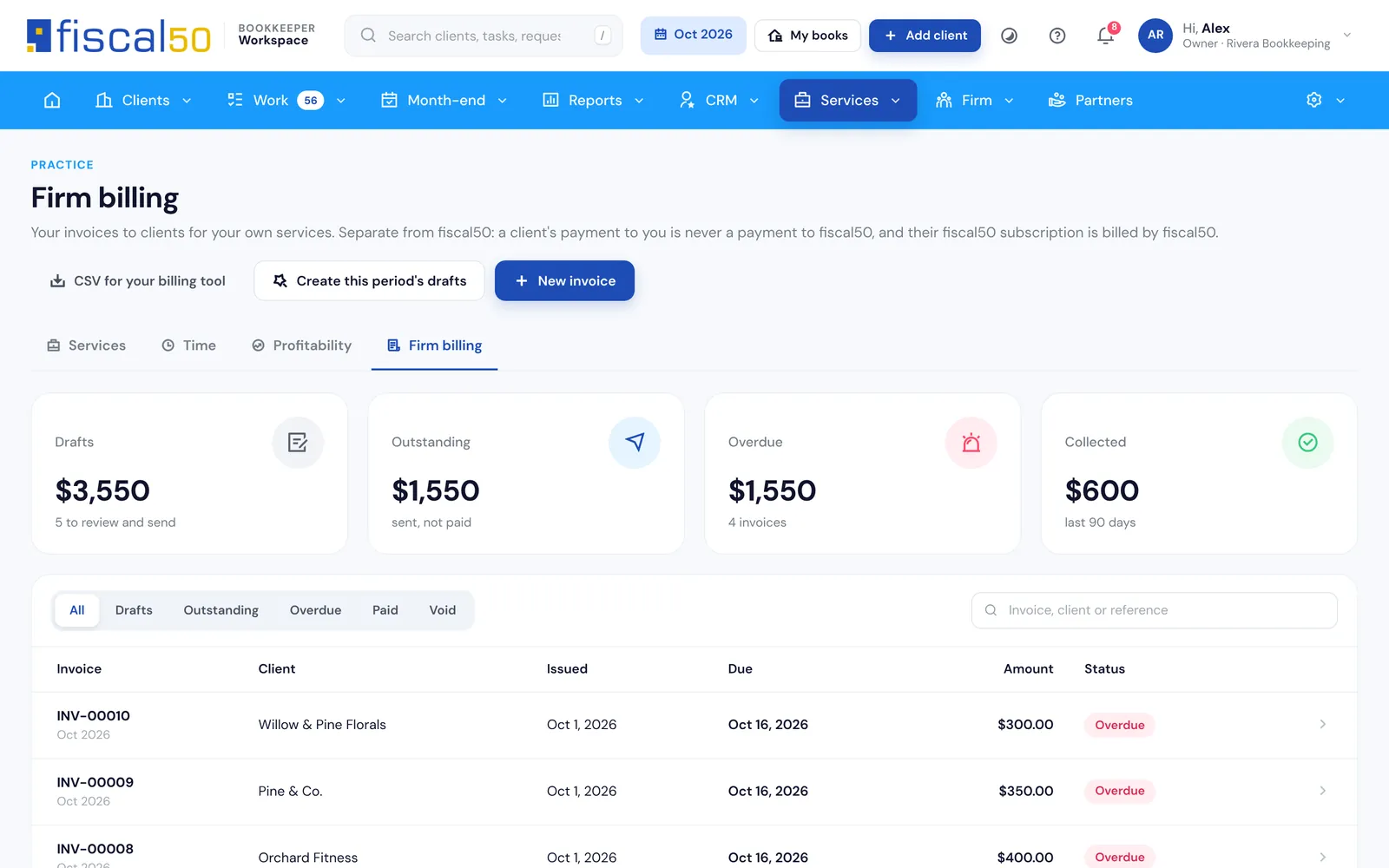
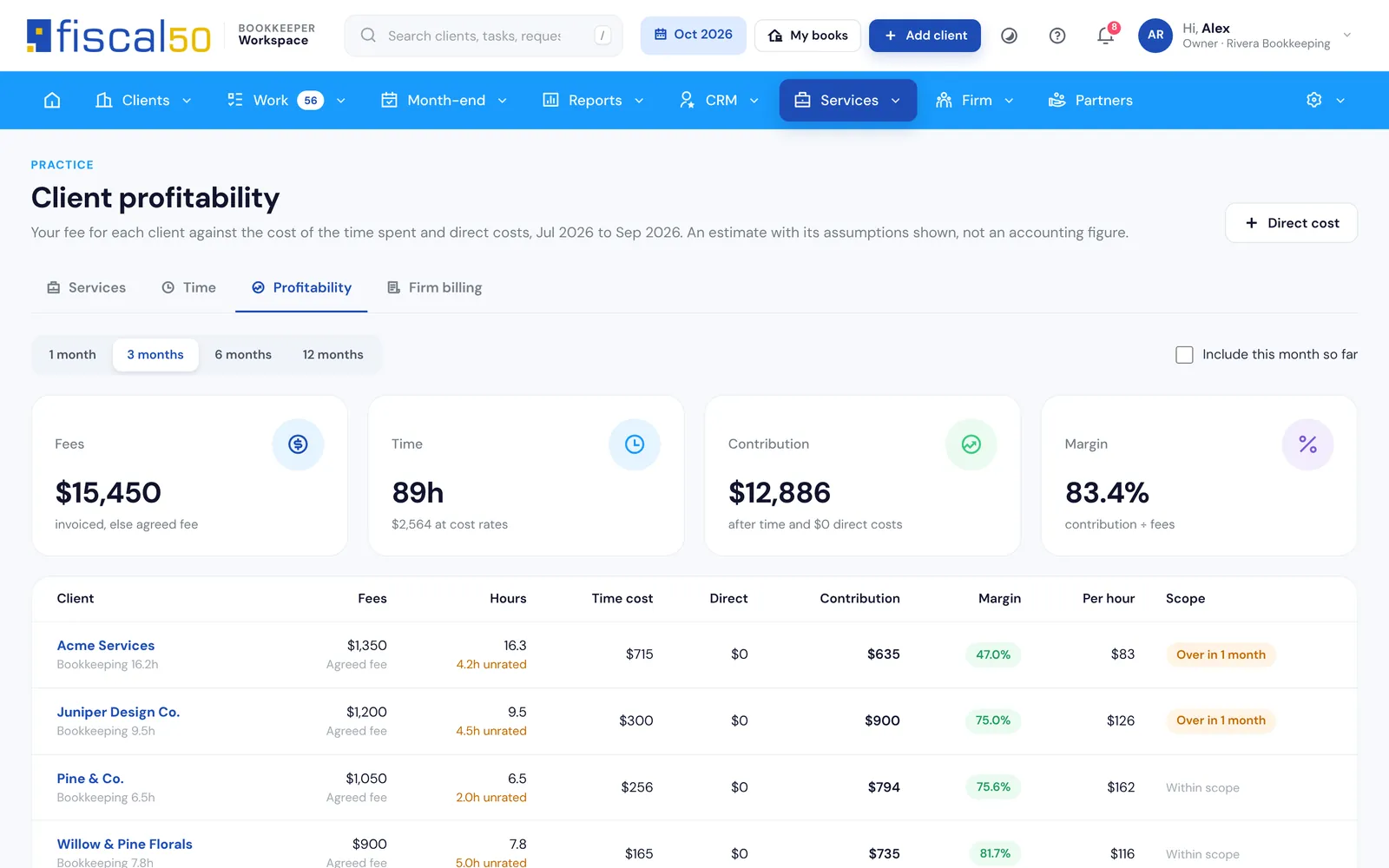
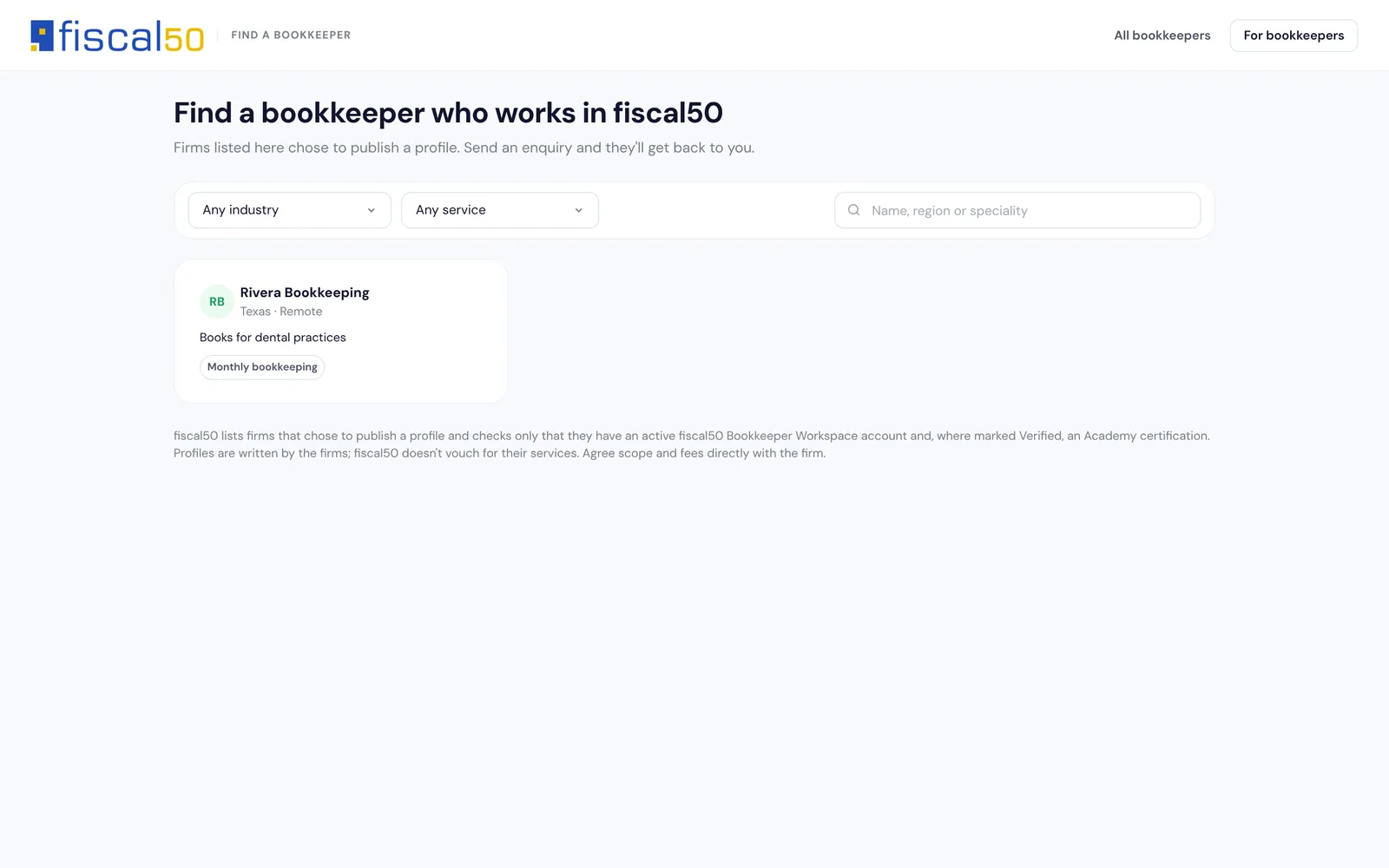
On Firm, win clients in the CRM, package your services, track time and bill clients from the same login. Every plan can list the firm in the public directory.
Owner, Admin, Senior bookkeeper, Bookkeeper and Viewer roles
Assign clients per person, or hand someone’s work to a colleague (Practice and Firm)
Audit log on every plan; team workload report, audit log export and custom permission profiles on Firm
White-label: your logo, name and colors on the portal, e-mails, close packages and invoices (Firm)
Security you can state to clients
Two-step sign-in on every account, with an authenticator app or e-mailed code
30-minute idle sign-out
Each Log in to a client’s books is a single-use, browser-bound link recorded in the audit log
The Workspace reads fiscal50 data read-only; changes happen only inside fiscal50
Team and roles with client assignments and two-step status
Pricing
How much does the Bookkeeper Workspace cost?
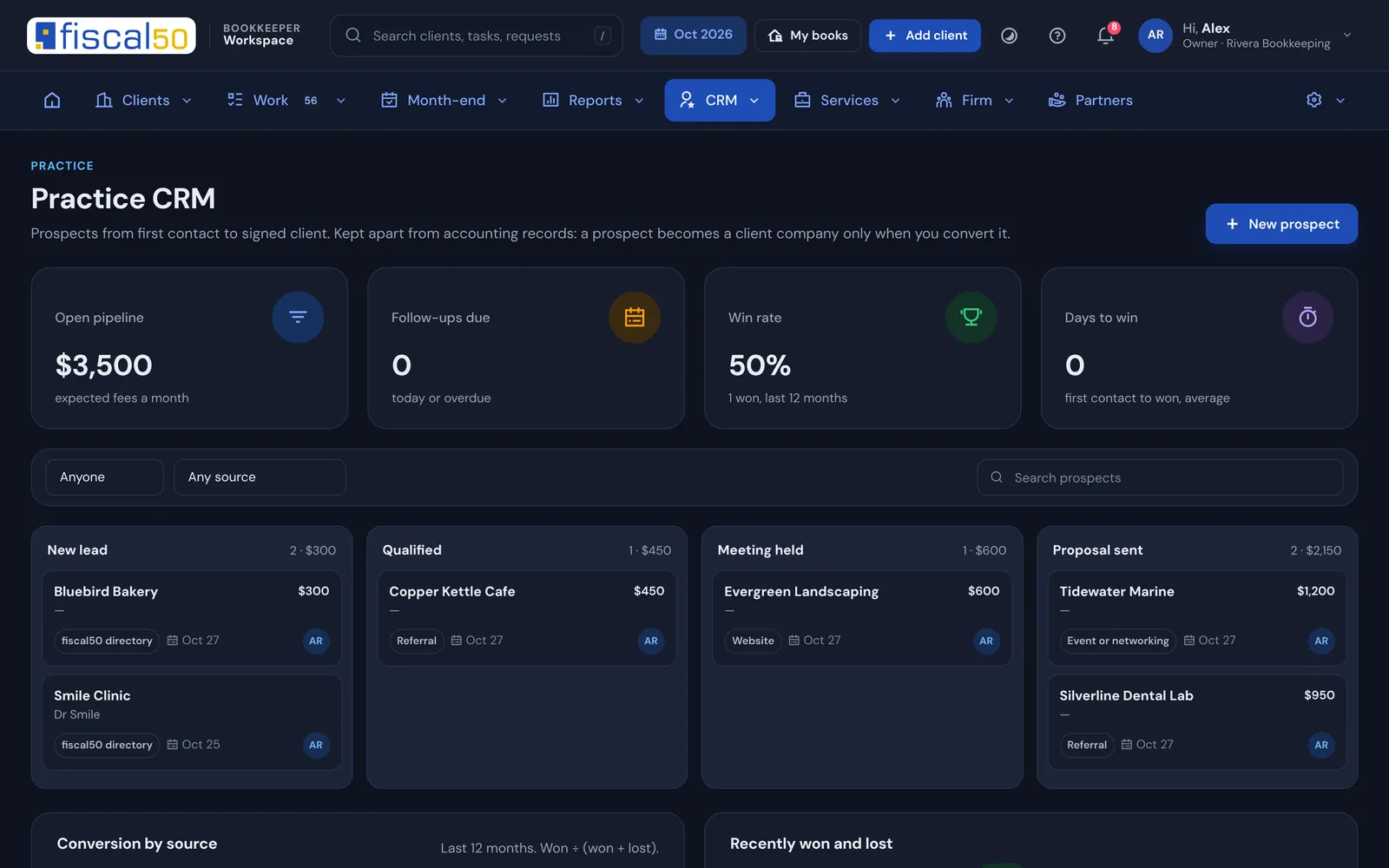
Start on Connect for free. Move to Practice for month-end close and client document requests, or to Firm for CRM, time tracking, firm billing and team permissions.
Licenses are billed with your plan on the same cycle. Sales tax may apply.
Partner program
Get paid for the clients you bring to fiscal50
When a client you set up or refer pays fiscal50 directly, you earn a share of what they pay for their first 12 months. Open on every plan, including Connect. Payouts go to your bank account through Stripe Connect.
20%Partner, from your first referred client
25%Gold partner, with 10 or more active referred clients
Example: 12 clients on Business at $19.50 a month, at 25%, earn you $58.50 a month, $702 over 12 months. Illustration only.
Learning built in
How do I train my team and my clients?
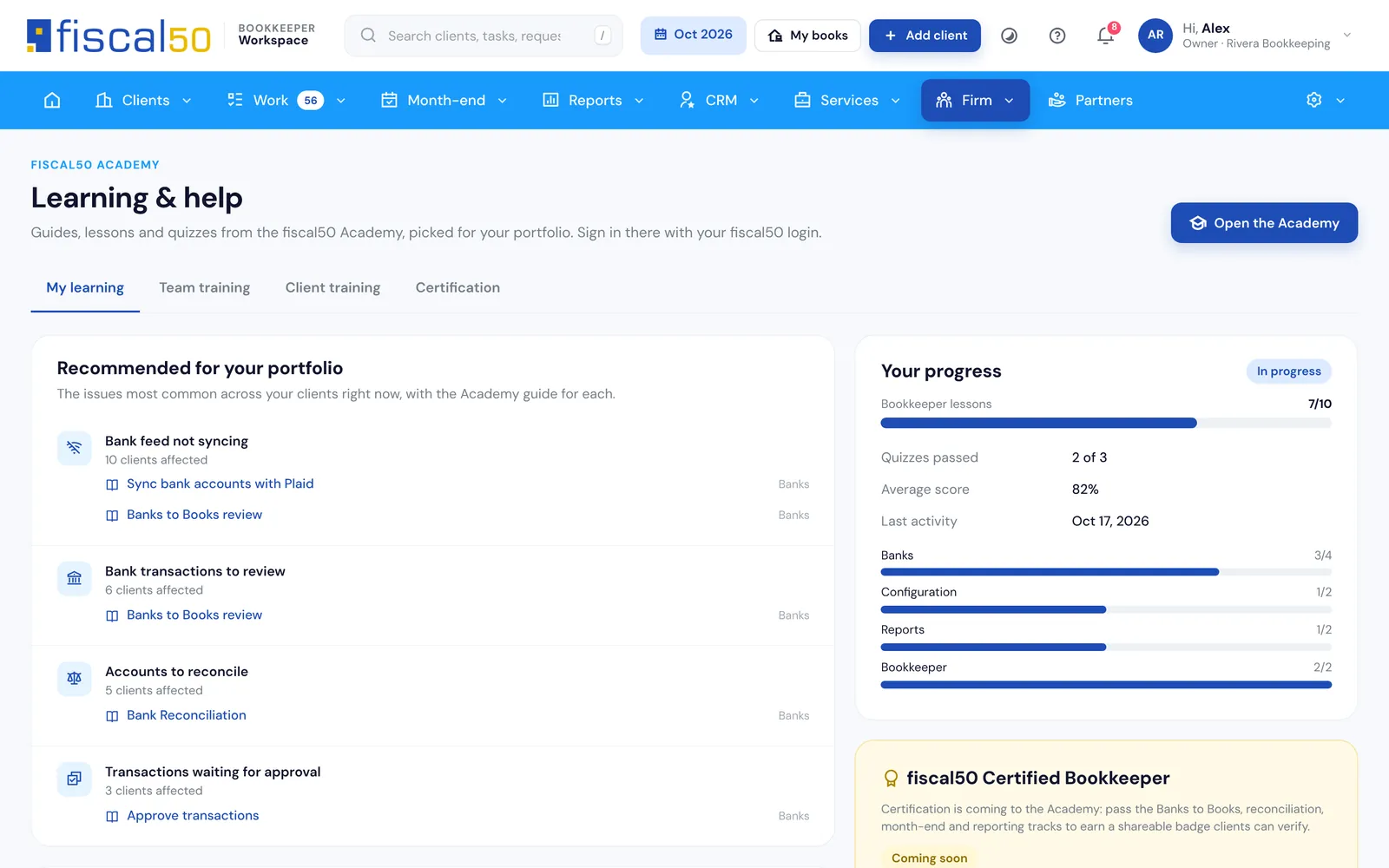
fiscal50 Academy guides picked for your portfolio, team training progress, and lessons you can send to clients. Academy certification is coming soon.
Which software helps a bookkeeper close the books for multiple clients faster?
The fiscal50 Bookkeeper Workspace puts every client’s month-end on one close board. On Practice and Firm you start the month for all clients in one click, the checks (Banks to Books empty, accounts reconciled, nothing posted after reconciliation, approvals cleared) tick themselves from fiscal50 data, and a second person signs off before the client gets a close package. fiscal50 then locks the closed month.
Can I manage multiple client companies with one bookkeeper login?
Yes. Every client company appears in My clients under one Workspace login, and Log in opens that client’s own fiscal50 in a new tab without a shared password. You can buy the client’s license at partner prices, let the client pay fiscal50 directly, or connect to a business already on fiscal50 with your connect code.
How does AI categorization work for client bank transactions?
In each client’s Banks to Books, AI pre-selects a recommendation for every bank and card transaction with a reason, a confidence percentage and the evidence. You review each one and click Post. Nothing posts on its own, and each posted transaction is a balanced double-entry journal entry.
Is fiscal50 an alternative to QuickBooks Online Accountant?
For clients whose books move to fiscal50, yes. The Bookkeeper Workspace gives you a multi-client dashboard, a cross-client work queue and a month-end close board, and the configuration agent imports a QuickBooks Online or Desktop chart of accounts and trial balance during setup. Transaction history is not migrated.
Is the Bookkeeper Workspace free?
Yes. Connect is free forever, with 1 seat (the owner), for firms whose clients pay for fiscal50 or invite them. Practice ($15.50 a month) adds month-end close, client document requests, reports with export and AI tools; Firm ($49.50 a month) adds CRM, time tracking, firm billing, team permissions and white-label.
How do team seats work?
A seat is anyone who signs in to your workspace, the owner included. Connect: 1 seat (the owner). Practice: up to 4 seats, the owner + 3 team members. Firm: up to 11 seats, the owner + 10 team members; for more, contact fiscal50 at support@fiscal50.com. Clients never use a seat.
Should I pay monthly or yearly?
Yearly billing costs 10% less on Practice and Firm. Yearly client licenses also use the lower yearly fiscal50 price before your partner discount. Monthly suits you while your client list is still changing.
Do my clients need fiscal50?
Yes, the books live in fiscal50. You can buy their license at partner prices, let them pay fiscal50 directly, or connect to a business already on fiscal50 with your connect code.
How do I open a client’s books?
Press Log in next to the client. Their fiscal50 opens in a new tab without a shared password, and every opening is recorded.
Can a client remove me?
Yes, at any time, from My bookkeeper in fiscal50. It takes effect immediately.
Can my staff see every client?
Only if their role allows it. Otherwise they see the clients assigned to them.
How much do client licenses cost?
Partner prices are the retail price less 15% to 30%, depending on how many licenses you hold in total.
What is the partner program?
A 20% revenue share for 12 months on companies you refer or set up that pay fiscal50 themselves, or 25% as a Gold partner with 10 or more active clients. Payouts go through Stripe Connect.
Is there a contract?
No. Monthly or yearly plans, cancel any time.
How do I move a client from QuickBooks or another system?
Each new client gets an onboarding checklist for where they come from (QuickBooks Online or Desktop, Xero, Wave, FreshBooks, Zoho, Sage, spreadsheets or a new business). Inside fiscal50, the configuration agent imports the QuickBooks chart of accounts and trial balance.
Can I keep my own firm’s books here?
Yes. Link your own company and open it from My books.
Is my data secure?
Two-step sign-in on every account, a 30-minute idle sign-out, single-use recorded links to open client books, read-only access to fiscal50 data, and access levels the client controls.