
Practice management and AI bookkeeping, working as one
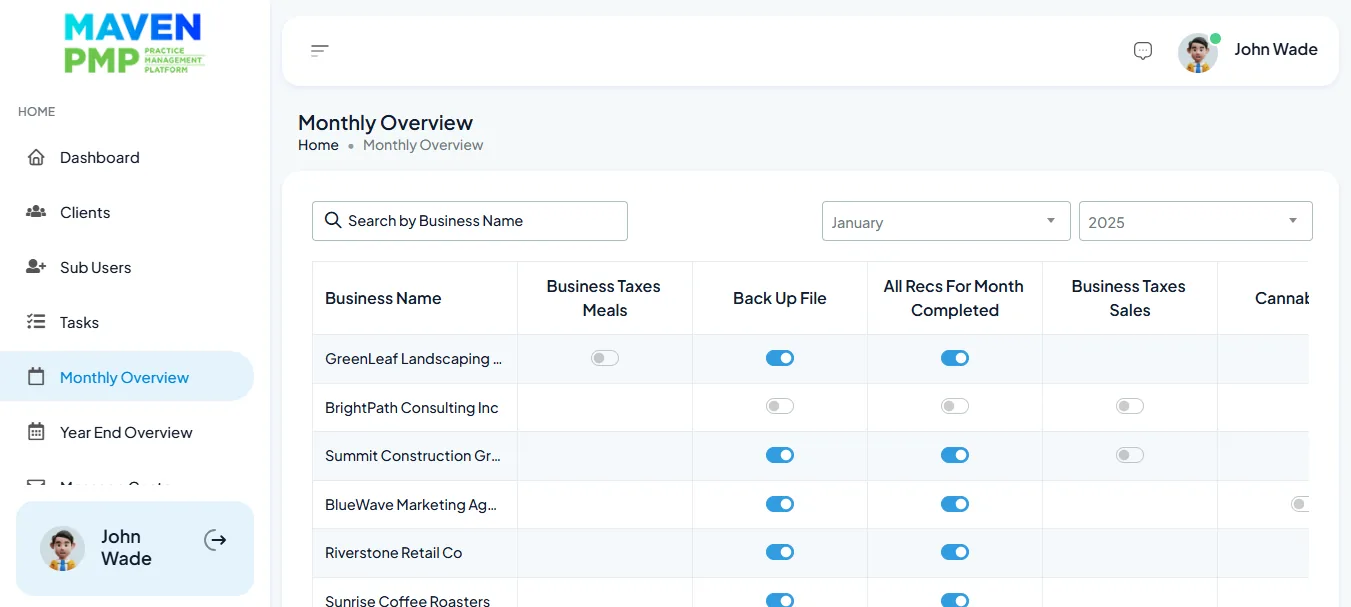
Maven PMP runs the practice: clients, tasks, checklists, team workload and communication. fiscal50 runs the books: bank feeds, AI categorization, reconciliation and reports. Together they let a firm take on more clients without adding more tools.
Updated
Who it’s for
Built for bookkeeping practices
For bookkeepers who keep clients’ books in fiscal50 and run the practice around them.
Independent bookkeepers
You keep the books for several small businesses and want client work, deadlines and each client’s books in one routine instead of spread across tools.
Firms with a team
Several people share the client list. Maven PMP shows who is working on what; fiscal50 shows how far each client’s books have got.
Bookkeepers building a practice
Maven Systems also offers bookkeeping courses for independent bookkeepers, and the fiscal50 Academy teaches every fiscal50 screen.
How it works
Five steps from onboarding to current books
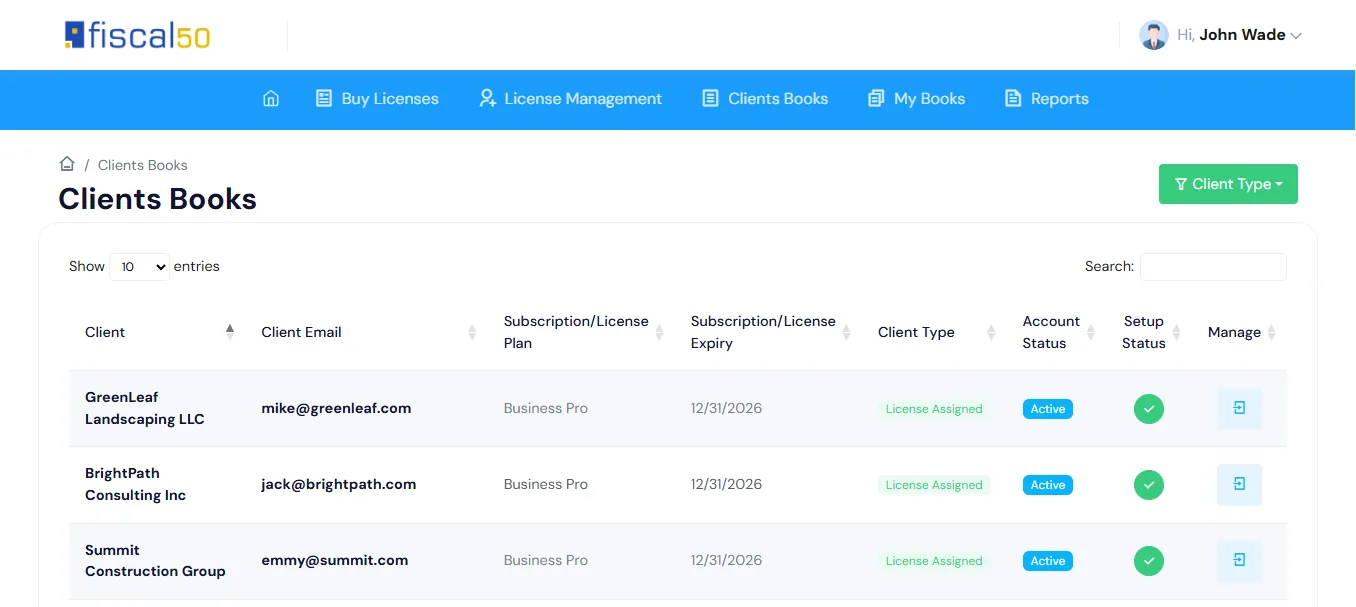
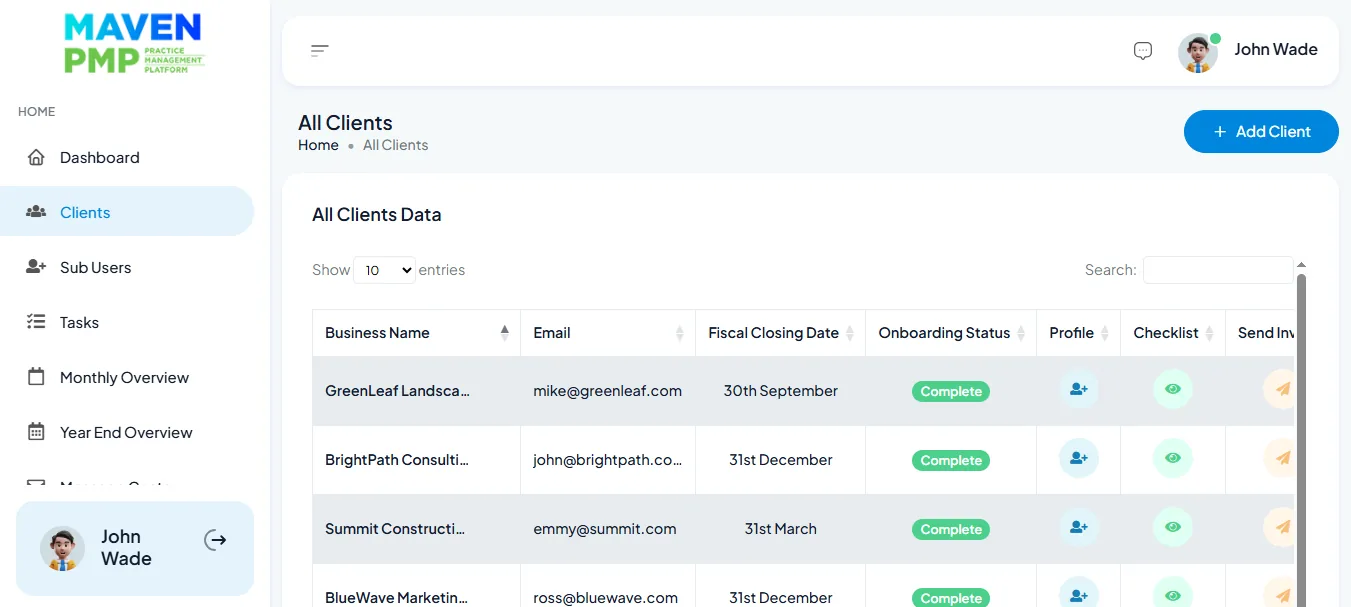
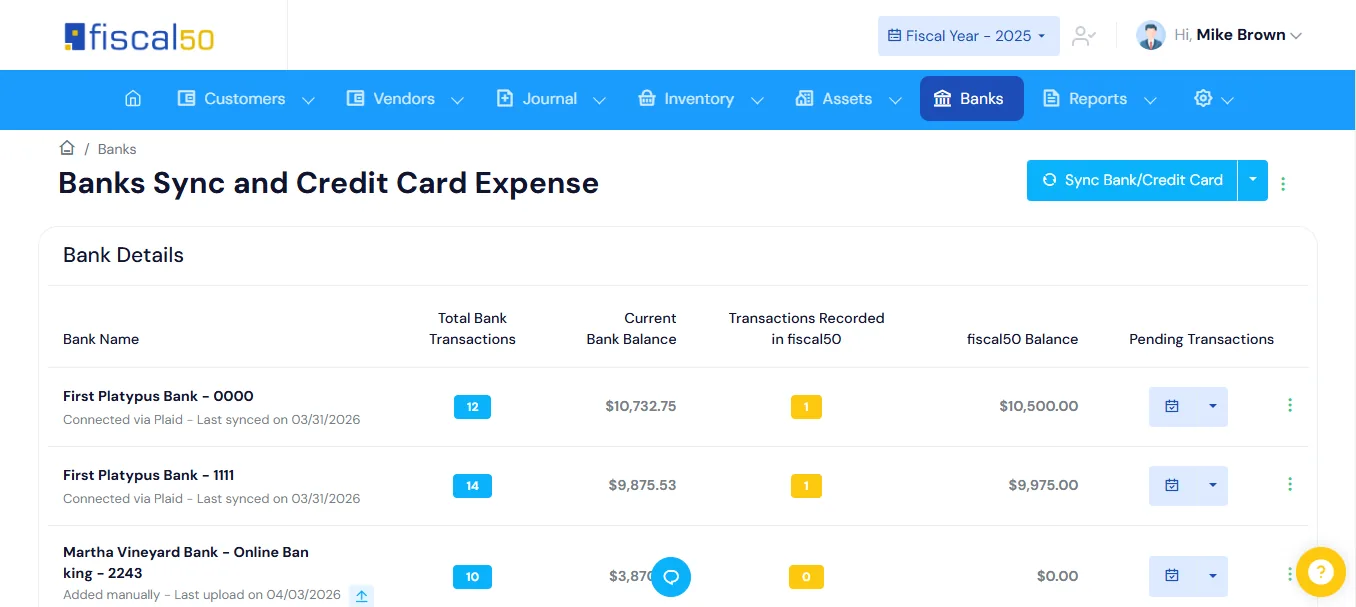
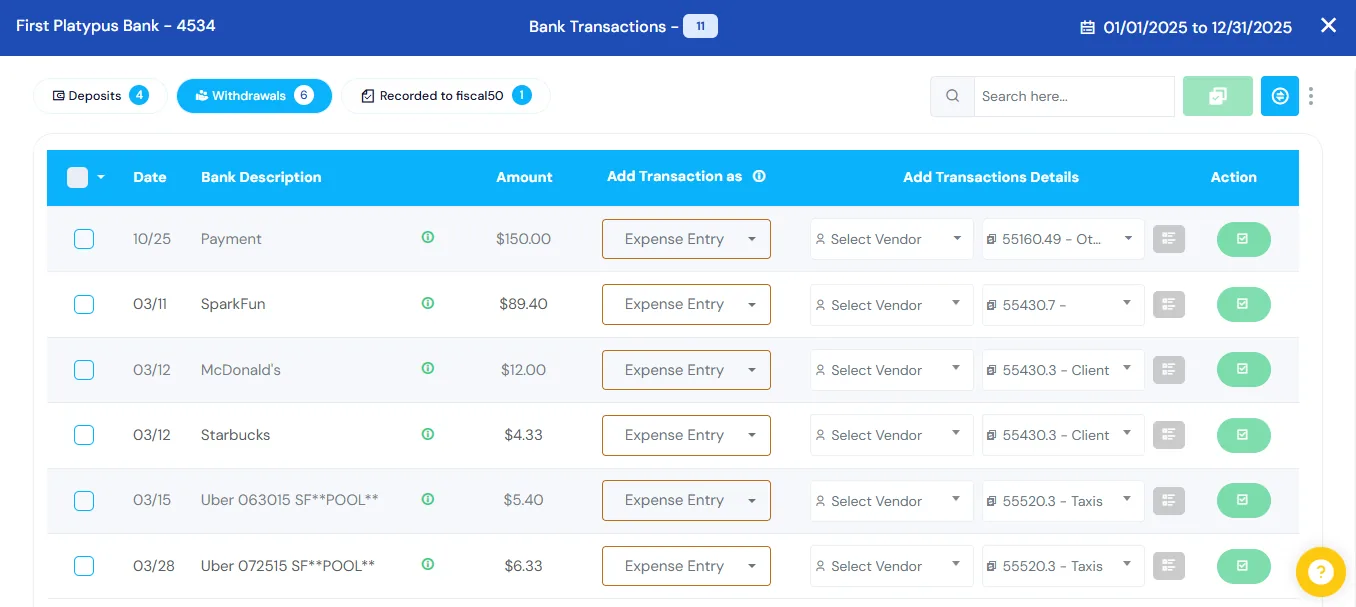
Who does what
Maven PMP runs the practice. fiscal50 runs the books.
Each product keeps its own job, so nothing is entered twice.
| Maven PMP | fiscal50 | |
|---|---|---|
| Clients | Client management and client communication | Each client’s company books, with its own chart of accounts, banks and reports |
| Work | Tasks, checklists and team workload | The Banks to Books backlog, reconciliations and month-end close for each client |
| Bank transactions | — | Bank and card feeds through Plaid; an AI recommendation for each transaction with its reason, confidence and evidence; nothing posts until you click Post |
| Month-end | — | A Pre-Closing Verification checklist, then a locked period that can’t be changed |
| Reports | Bookkeeping progress alongside tasks and checklists | Balance Sheet, Income Statement, Cash Flow and Trial Balance, on cash or accrual |
| Learning | Bookkeeping courses from Maven Systems | The fiscal50 Academy: a lesson, a guide and a quiz for every screen, free with a fiscal50 login |
Banks to Books · Bank reconciliation · Month-end close · Financial reports · fiscal50 Academy
Plans
What each client’s fiscal50 plan includes
Each client company is on its own fiscal50 plan. Your firm works across all of them from the Bookkeeper Workspace, whose Connect plan is free. Maven PMP plans are on the Maven Systems site.
| Starter | Business | Business Pro | |
|---|---|---|---|
| Live bank and card feeds through Plaid | ✓ | ✓ | ✓ |
| Banks and credit cards you can connect | 1 | Up to 5 | Up to 10 |
| Auto-reconciliation of bank, card and loan accounts | Not included | ✓ | ✓ |
| Bookkeeper login | ✓ | ✓ | ✓ |
| Users | 1 user | Up to 3 users | Up to 10 users |
| Approval workflow | ✓ | ✓ | ✓ |
Built for growing teams
Less tool-switching, more client work
Less manual work
Categorization and reconciliation run automatically, so staff time goes to review and advice.
More clients per bookkeeper
Streamlined workflows let the same team handle more client files.
Faster month-end close
Books stay synced and organized, so closing is a review rather than a scramble.
One view of every client
Client communication, tasks and books without switching systems.
Easy migration
Bring clients and their books over without disrupting day-to-day work.
Standard workflows
Consistent processes for bookkeeping, reviews and client work across the team.
What is Maven PMP?
Maven PMP is practice management software from Maven Systems for independent bookkeepers: client management, tasks and checklists, team workload and client communication.
Do I need both products?
No. Each works on its own. Together, practice management and client books stay in sync so your team works from one picture of every client.
Where can I learn the Maven methods?
Maven Systems offers bookkeeping courses for independent bookkeepers at mavensystems.us.
Which fiscal50 plan does each client need?
Every fiscal50 plan includes a bookkeeper login and Plaid bank feeds. Auto-reconciliation is on Business and Business Pro, and the number of bank and card connections and users grows with the plan.
How do I open each client’s fiscal50 books?
Through the fiscal50 Bookkeeper Workspace, which lists every client company in one login and opens any client’s books in one click, with no shared password. Its Connect plan is free.
Related
Keep exploring
For bookkeepers and firms
The Bookkeeper Workspace: every client in one login, month-end for every client on one board, client portal, CRM and billing. Connect is free.
Read moreMonth-end close checklist
A step-by-step month-end close checklist for bookkeepers, plus a client onboarding checklist.
Read moreBank reconciliation
Auto-reconciliation that predicts each ending balance and reconciles every account month after month.
Read morePartner program
20% revenue share for 12 months on client-paid companies (25% for Gold partners), partner prices on client licenses and Stripe payouts.
Read moreSee fiscal50 and Maven PMP together.
Book a walkthrough, or register your firm in the Bookkeeper Workspace.