
Fifty, AI accountant
Meet Fifty, the AI accountant on every page
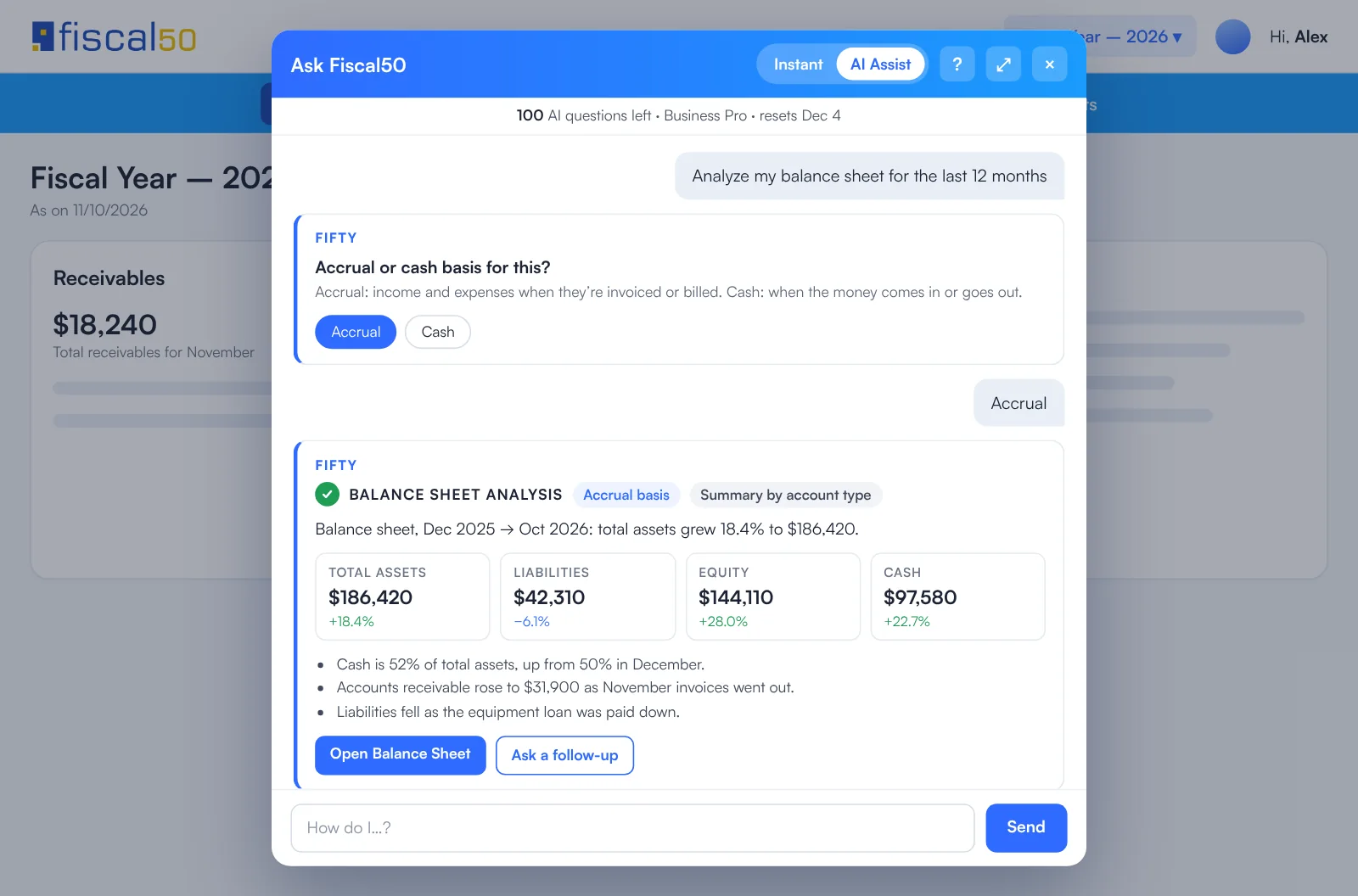
Fifty is the assistant built into fiscal50. Ask it how to do something and it answers from fiscal50's own user guides, with numbered steps, a link to the lesson and a Take me there button that opens the screen. It can also run tasks from the chat, such as creating an invoice, entering a vendor bill or recording a payment, and shows a summary for you to confirm before anything is created. Curated Instant Answers are free and unlimited; AI Assist answers have a monthly allowance that depends on the plan.
See it work
Ask how, or ask Fifty to do it
Fifty answers how-do-I questions with the steps and a button that takes you there, and runs tasks like creating an invoice after you confirm the details.

Fifty, AI accountant
What Fifty does for you
Fifty is fiscal50's AI assistant: it answers how-to questions from the fiscal50 guides, opens the right screen, and runs bookkeeping tasks and reports from the chat.
Answers from the fiscal50 guides
Instant Answers come from about 6,900 answers prepared from the fiscal50 user guides and lessons. They are free and unlimited.
AI Assist
On plans that include it, AI Assist is the default mode: each question gets an answer written from the fiscal50 guides, marked as an AI answer with the guides it is based on, and counted against a monthly allowance. Switch to Instant for free curated answers.
Take me there
Answers about a screen carry a button that opens that screen in fiscal50, for example "Add customer invoice". Most fiscal50 screens have one.
Tasks from the chat
Fifty can create records for you: create and e-mail an invoice or an invoice reminder, add a customer, vendor, payee, product, service, expense category or chart-of-accounts account, enter a vendor bill, record a customer or vendor payment, write a check, create a checkout page or a proposal, upload a bill or receipt, add a journal entry, send a vendor bill payment reminder, and record an asset sale, write-off or depreciation.
Confirm before anything is saved
Fifty asks for what it needs one question at a time, then shows a summary. Nothing is created until you confirm it.
Reports and answers about your books
Ask for figures such as profit for a period, revenue, expenses, receivables, payables, bank balance, a balance sheet, a trial balance or an income statement, and Fifty reads them from your books.
Lessons in the same place
Answers about a screen link to its Academy lesson and user guide, so you can learn the screen properly when you need to.
In your books
What it posts
Fifty posts nothing on its own. A task saves the record through the normal fiscal50 screen, after you confirm, so the entry is that screen’s own.
Example amounts.
| Account | Debit | Credit |
|---|---|---|
| Accounts Receivable | 1,200.00 | |
| Consulting income | 1,200.00 | |
| Total | 1,200.00 | 1,200.00 |
FAQ
Fifty, AI accountant: common questions
What is the difference between Instant Answers and AI Assist?
Instant Answers are prepared answers taken from the fiscal50 guides; they are free and unlimited. AI Assist, the default on plans that include it, writes each answer from the guides, shows the guides it used and counts against your plan's monthly allowance. You can switch between the two in the chat.
How many AI Assist questions do I get?
Per monthly period: 25 on Starter, 50 on Business and 100 on Business Pro (bookkeepers 100). When they run out, Fifty switches to Instant Answers until the period resets.
Can Fifty change my books without asking?
No. For every task, Fifty collects the details, shows a summary and waits for you to confirm before anything is created.
What does Take me there do?
It opens the fiscal50 screen the answer is about, so you can do the task straight away.
Which tasks can Fifty do?
Create and e-mail invoices and invoice reminders, add customers, vendors, payees, products, services, expense categories and chart-of-accounts accounts, enter bills, record payments in and out, send vendor bill payment reminders, write checks, create checkout pages and proposals, upload bills and receipts, add journal entries, and record asset sales, write-offs and depreciation. It can also answer questions about your figures and run reports.
Related
Works well with
Make this the last month you do bookkeeping by hand.
Start free. Connect a bank. Watch the agents go to work.