
Accounting automation software for the work that repeats
fiscal50 automates the accounting work that repeats every week, month and year, beyond the bank feed. Recurring invoices and bills are created on time, deferred income and expenses are recognized, depreciation runs, and payment reminders go out on a schedule. Approval workflows decide which of those need a human check before they post, and the closing checklist flags anything still pending before a month can close.
See it work
From bank feed to balanced books, in a few clicks
Transactions sync, the AI recommends how to book each one with a reason, and when you post, a balanced journal entry is recorded.
 Banks to Books
Why it matters
What runs on a schedule
Scheduled processing handles the predictable entries so your time goes to the exceptions. Bank and card transactions have their own workflow, Banks to Books.
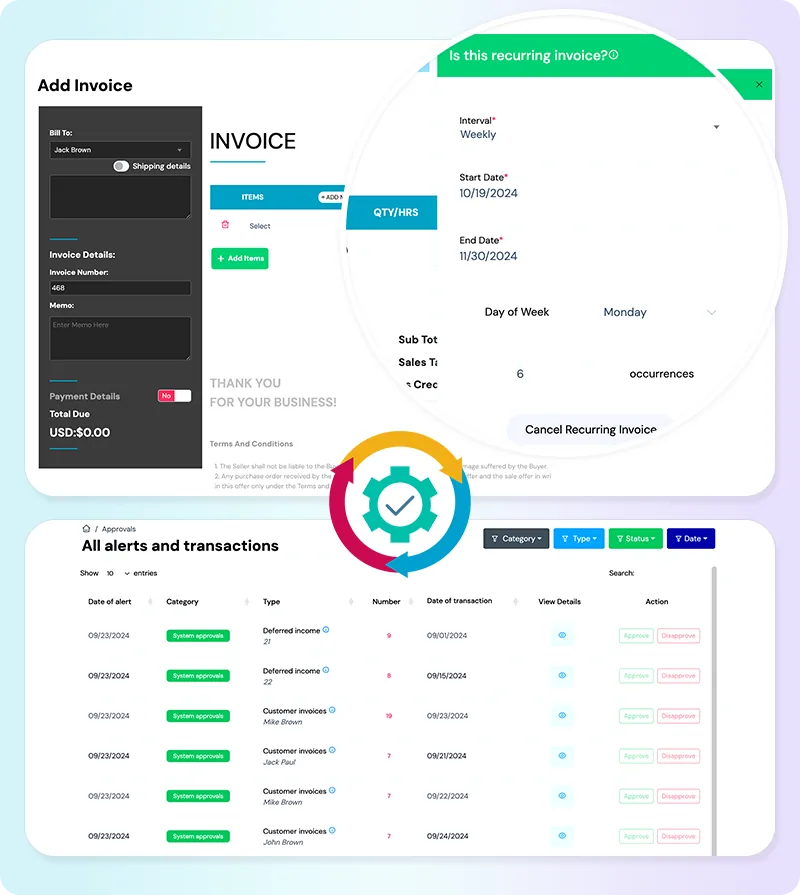
Recurring invoices and bills
Daily, weekly, monthly or yearly, with duplicate protection.
Deferred income and expenses
Retainers and prepaid costs recognized in the months they belong to.
Depreciation
Monthly and yearly depreciation recorded for every asset.
Payment reminders
Reminder emails for open invoices.
In practice
Automation with guardrails
Approval workflows and locked periods keep automated work accountable.
Approve before posting
Choose which of nine transaction types need approval.
Alerts
A header list shows what is waiting for you.
Closing checklist
Pending scheduled jobs are flagged before a month can close.
FAQ
Questions people ask
Which plans include batch automation?
Batch processing automation for recurring invoices, deferrals, depreciation and payment reminders is included in Business and Business Pro.
Can I review automated entries before they post?
Yes. Turn on approval workflows for any of the supported transaction types and they will wait for sign-off.
Related
Go deeper
Approvals and user access
Approval workflows, alerts and permissions by feature for every user.
Read moreInvoicing
Invoices, recurring schedules, retainers, deferred income and customer payments.
Read moreFixed assets
Asset register, straight-line depreciation, maintenance, sales and write-offs.
Read moreOnline bookkeeping that works wherever you do
fiscal50 is cloud bookkeeping software you can use from any browser: bank feeds, invoices, bills, inventory, reports and a virtual accountant, with access for your bookkeeper.
Read moreMake this the last month you do bookkeeping by hand.
Start free. Connect a bank. Watch the agents go to work.